Visual content is no longer just about finding a pretty picture; it is about finding the right picture. For years, content creators struggled with rigid, static photos that never quite matched their brand. Today, AI editable stock images have solved that problem. This technology allows you to tweak, expand, and completely reimagine stock photography in seconds.
If you are tired of generic visuals that don’t convert, this guide is for you. We will explore how AI editable stock images give you total creative control, saving you thousands of dollars while significantly improving your engagement rates.
The Problem with Traditional Stock Photos
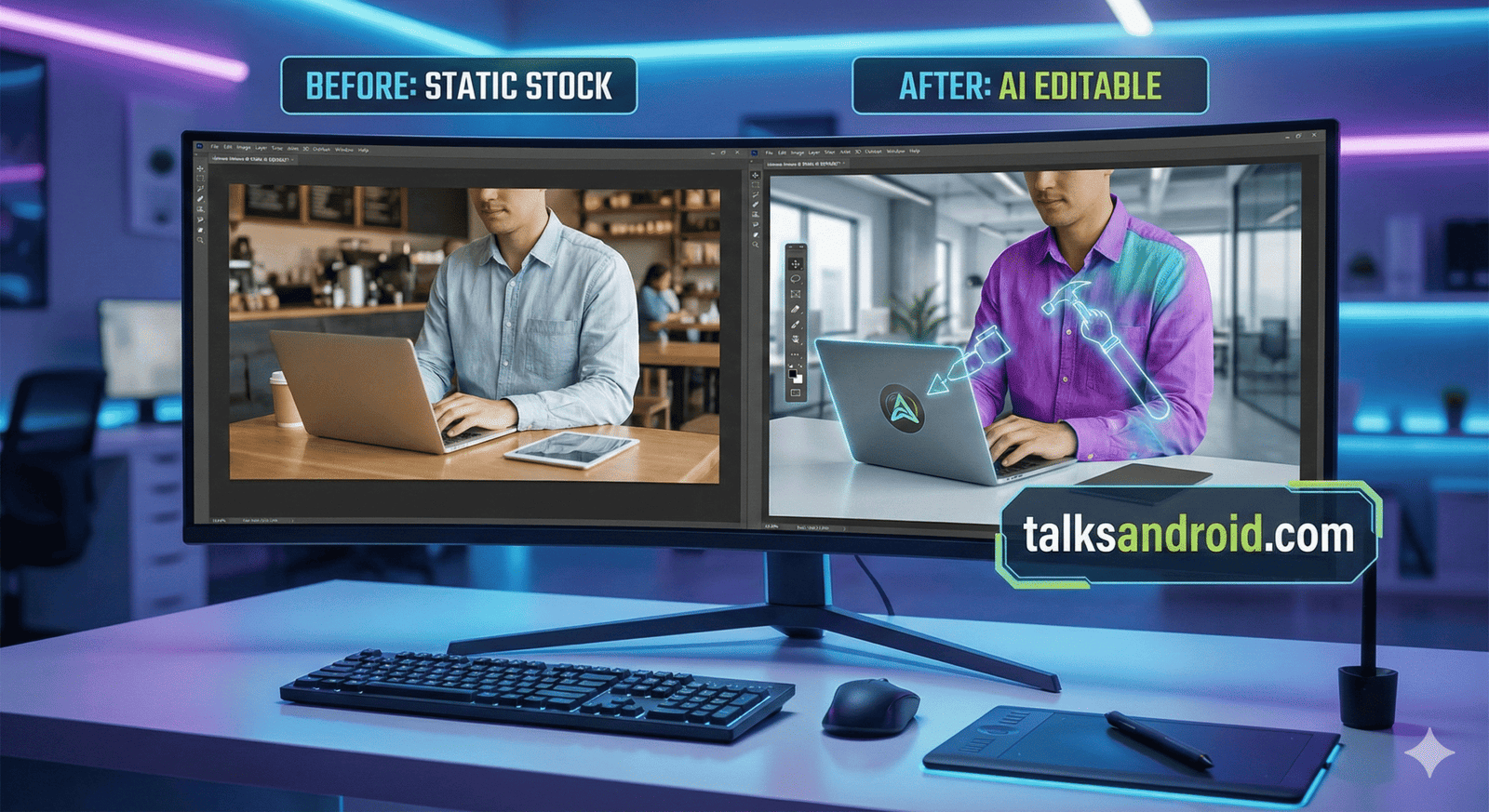
We have all been there. You find a decent stock photo, but the model is wearing the wrong color shirt, or the background is too cluttered. In the past, you had two choices: accept the mediocrity or hire a professional retoucher.
AI editable stock images eliminate this dilemma. They transform static JPEGs into dynamic canvases. This shift means you are no longer limited by what photographers have uploaded; you are only limited by your imagination.
- Static Limitations: Traditional photos cannot be easily altered.
- Generic Look: Everyone uses the same popular images.
- High Costs: Custom shoots are too expensive for daily content.
How AI Editable Stock Images Work
Understanding the tech helps you use it better. Unlike standard filters, AI editable stock images utilize generative artificial intelligence. This software understands the “context” of a photo. It knows the difference between a person and a tree.
This “semantic awareness” allows for seamless edits. You can remove a person from a crowd, and the AI will automatically fill in the background behind them. It is like having a magic wand for pixels.
Top Platforms for AI Visuals
Not all tools are created equal. To get the best AI editable stock images, you need platforms that offer high-resolution output and commercial rights. Adobe Firefly and Canva are currently the industry leaders for general users.
For more advanced users, Midjourney offers incredible artistic control, though it requires a steeper learning curve. Choosing the right platform depends on your specific workflow and budget.
- Adobe Firefly: Best for professional designers using Photoshop.
- Canva: Ideal for social media managers needing speed.
- Midjourney: Perfect for unique, artistic blog headers.
Saving Money with AI Customization
Marketing budgets are always tight. Hiring a photographer for a custom product shoot can easily cost upwards of $3,000. In contrast, using AI editable stock images costs pennies per image.
You can take a single generic image of a desk and, using AI, swap out the laptop for a tablet, change the coffee mug color, or add a plant. You get infinite variations for the price of one subscription.
Boosting Engagement Rates
Generic photos get ignored. This is known as “banner blindness.” Users crave authenticity and relevance. By customizing AI editable stock images, you create visuals that look bespoke and intentional.
When an image perfectly matches your headline, readers stay on the page longer. This increased “dwell time” signals to Google that your content is valuable, indirectly boosting your rankings.
Speeding Up Your Workflow
Time is money. Searching for the “perfect” stock photo can take hours. With AI editable stock images, you only need to find a “good enough” photo and then make it perfect.
Instead of scrolling through page 50 of a stock site, you can simply download a base image and type a prompt like “change background to a modern office.” This reduces visual research time by over 70%.
Improving Brand Consistency
Your brand has a specific color palette and vibe. Traditional stock photos rarely match perfectly. AI editable stock images allow you to enforce brand guidelines strictly across all visual assets.
If your brand color is teal, you can instantly change the tie of a business model to teal. This subtle consistency builds stronger brand recognition across your website and social media channels.
The Power of Inpainting
“Inpainting” is a technical term you need to know. It refers to selecting a specific area of an image and asking the AI to change only that part. This is the core feature of AI editable stock images.
For example, if a model is holding an outdated phone, you can select the phone and prompt the AI to replace it with the latest smartphone model. The lighting and shadows will update automatically.
Expanding Images with Outpainting
Sometimes an image is perfect, but it is in the wrong aspect ratio. Maybe you need a vertical shot for Instagram Stories, but you only have a horizontal landscape.
“Outpainting” allows AI editable stock images to expand beyond their original borders. The AI predicts what should be outside the frame and generates it, effectively turning a square image into a panoramic shot.
SEO Benefits of Unique Images
Google hates duplicate content. If you use the same stock photo as your competitor, Google notices. By heavily modifying AI editable stock images, you create a unique digital footprint.
This uniqueness helps you rank in Google Images search. Furthermore, customized images are more shareable, leading to more backlinks from other websites and social media platforms.
Legal Safety and Copyright
This is a gray area, so be careful. While AI editable stock images are powerful, you must ensure you have the rights to use them. Always use reputable platforms that indemnify their users.
Avoid using AI to mimic the style of famous living artists or using real people’s faces without permission. Sticking to paid, commercially licensed tools is the safest route for businesses.
- Check Terms: Read the license agreement carefully.
- Avoid Trademarks: Don’t generate branded logos (like Nike or Apple).
- Be Transparent: Some laws require disclosing AI usage.
A/B Testing Visuals
Marketers love data. With AI editable stock images, you can run precise A/B tests. You can generate two versions of an ad: one with a male model and one with a female model, keeping everything else identical.
This level of control was previously impossible without two separate photoshoots. Now, you can optimize your click-through rates (CTR) by scientifically testing which visuals resonate with your audience.
Fixing Common AI Errors
AI is not perfect. You will often see images with strange hands or floating text. Learning to spot and fix these errors is part of working with AI editable stock images.
Don’t just publish the first result. Zoom in. If the eyes look weird, use the inpainting tool to regenerate just the face. Quality control is essential to maintaining a professional reputation.
The Future of Visual Search
We are moving toward a world where you won’t search for images; you will build them. AI editable stock images are the first step toward “generative search.”
Soon, you will likely be able to upload a sketch and have an AI stock library generate a photorealistic version in real-time. Staying ahead of this curve gives you a competitive advantage.
Ethical Considerations
Just because you can edit an image doesn’t mean you always should. When using AI editable stock images, consider the message you are sending.
Be mindful of diversity and representation. Use the technology to create inclusive imagery that reflects your actual customer base, rather than perpetuating harmful stereotypes often found in older stock libraries.
Integrating with Design Software
The best workflow involves integrating AI into your existing tools. Adobe has integrated Firefly directly into Photoshop, making AI editable stock images a seamless part of the design process.
You don’t need to switch between browser tabs. You can generate, edit, and export all within the software you already use every day. This integration is key to widespread adoption.
Case Study: Startup Success
Consider a small tech startup that used AI editable stock images for their launch. Instead of spending $5,000 on a photoshoot, they spent $30 on a subscription.
They created a consistent visual language that looked like a custom enterprise shoot. This professional polish helped them secure early investor meetings, proving that perceived value drives actual value.
Getting Started Today
You don’t need to be a tech wizard to start. Begin by creating a free account on a platform like Canva or Bing Image Creator. Play around with modifying simple objects.
Once you get comfortable, try incorporating AI editable stock images into your next blog post or social media update. The only way to master this tool is to use it.
FAQs
What are the best tools for AI editable stock images?
The top tools currently are Adobe Firefly for professionals, Canva Magic Studio for ease of use, and Midjourney for high-end artistic generation. Each caters to a different skill level.
Is it legal to use AI images for my business?
Yes, provided you use a platform that grants commercial rights. Always check the terms of service. Avoid using free, beta-research tools for commercial client work to stay safe.
Can AI replace real photographers?
Not entirely. For specific events, weddings, or physical products, real photography is superior. AI editable stock images are best for general marketing visuals and conceptual art.
Will AI images slow down my website?
No, as long as you optimize them. Like any image, you should compress them and use the correct format (WebP or JPEG) before uploading to your WordPress site.
How do I make AI images look natural?
Avoid “perfect” prompts. Add words like “natural lighting,” “candid,” or “film grain” to your prompt. Imperfections often make the image look more realistic and less like a robot created it.
Can I copyright AI-generated images?
Generally, no. In the US, purely AI-generated works are public domain. However, if you significantly edit the image using Photoshop, you may own the rights to those specific edits.
Does Google penalize AI content?
Google penalizes low-quality content. If your AI editable stock images are relevant, high-resolution, and add value to the user experience, Google will view them favorably.
Conclusion
The landscape of digital design changes fast. AI editable stock images are not just a trend; they are a productivity revolution. They offer a perfect blend of speed, cost-efficiency, and creative freedom that traditional photography simply cannot match. By adopting this technology now, you position your brand as a forward-thinking leader.
Don’t let your content stagnate with boring, repetitive visuals. Embrace the power of AI customization. Start small, experiment with different prompts, and watch your engagement metrics climb. The future of content is editable are you ready?