
Introduction
In today’s hyper-connected world, our digital lives are expanding at an unprecedented rate. From banking and healthcare to social interactions and professional environments, almost every aspect of our existence has an online component. Yet, amidst this rapid technological evolution, a critical paradox remains in how many individuals approach cybersecurity. We often cling to outdated concepts of safety, using patterns and habits that feel secure but offer little resistance to modern threats.
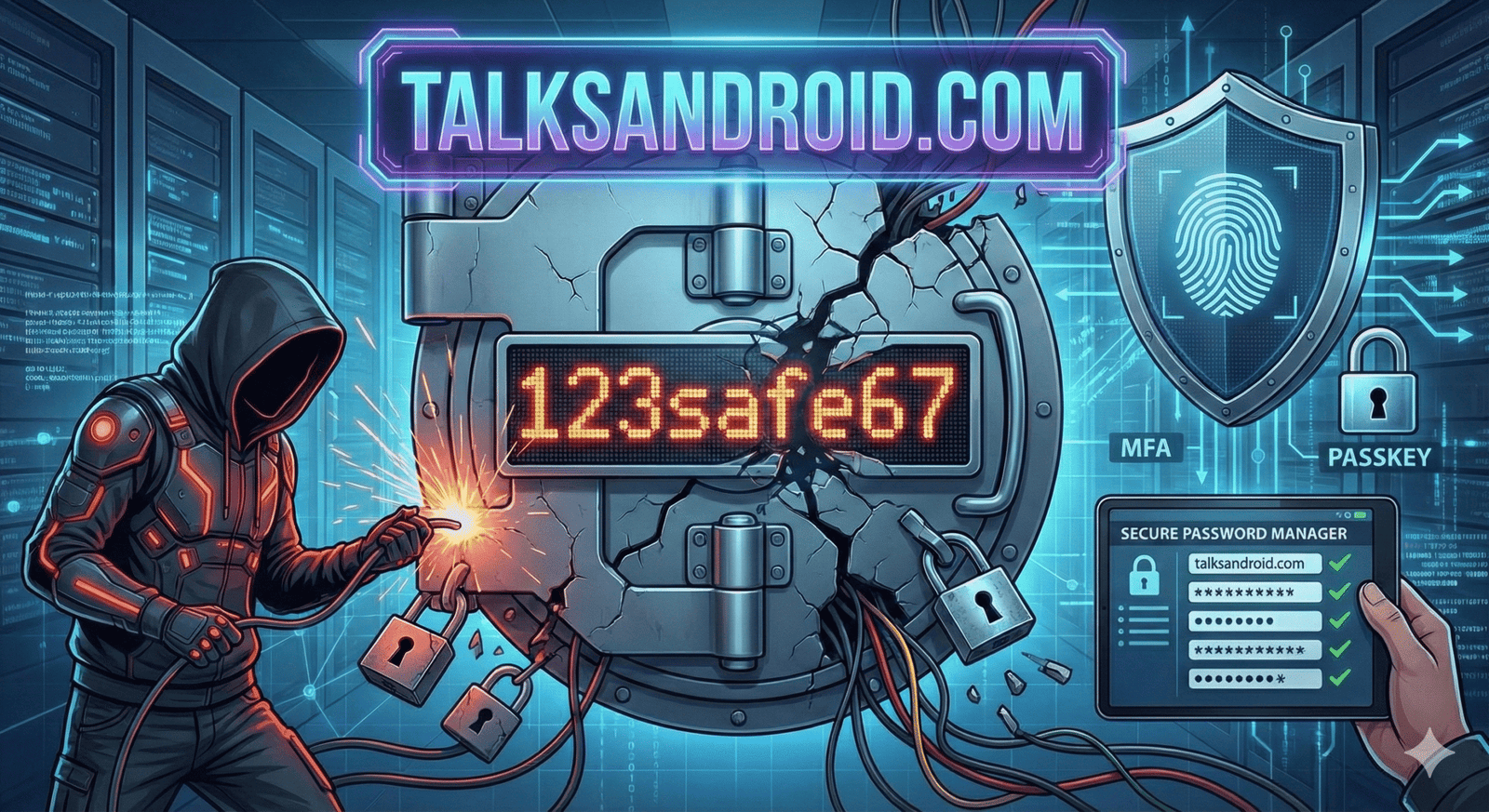
This phenomenon is perfectly encapsulated by the concept of “123safe67.” It represents a mindset the belief that combining a few numbers with a reassuring word creates a robust barrier against cybercriminals. It is the digital equivalent of locking your front door but leaving the key under the doormat. This article delves deep into why relying on patterns similar to 123safe67 is no longer sufficient. We will move beyond surface-level advice to explore the mechanics of contemporary cyber threats, the psychology of user behavior, and, most importantly, the actionable, robust solutions necessary to truly protect your digital footprint in an increasingly hostile online environment. Prepare to upgrade your security mindset from the illusion of safety to the reality of resilience.
Understanding the “123safe67” Mindset and Cognitive Ease
Humans are inherently creatures of pattern and habit. When faced with the cognitively demanding task of creating unique credentials for dozens of accounts, our brains naturally seek shortcuts to reduce mental friction. We look for combinations that are easy to remember yet seem complex enough to satisfy basic requirements.
The string 123safe67 is the archetype of this behavior. It combines sequential numbers (easy recall), a positive word implying security (“safe”), and perhaps birth years or favorite numbers at the end. Psychologically, it feels like effort was made. However, cyber attackers anticipate this desire for cognitive ease. They know that humans rarely choose truly random strings, instead relying on predictable structures that are easily recognizable by sophisticated algorithms.
- Predictability: Relying on common sequences like “123” or “qwerty.”
- Reassurance words: Using terms like “pass,” “secure,” or “safe” within the credential.
- Personal Data: Incorporating easily discoverable dates like birthdays or anniversaries.
The Anatomy of Weak Credentials and Pattern Recognition
While a combination like 123safe67 might look decent to the untrained eye compared to just “password,” it fails dismally against automated analysis. Attackers do not sit at keyboards guessing individual logins; they use powerful software designed to recognize structural weaknesses instantly.
Modern cracking tools are programmed with rules to identify common substitutions such as swapping ‘a’ for ‘@’ or ‘e’ for ‘3’. A pattern that relies on a simple word sandwiched by numbers is among the first targets. The structure is the vulnerability, not just the specific characters used. If the underlying blueprint of the credential is common, the specific variation matters little to a dedicated attacker.
- Structural Weakness: Common layouts like [Number Sequence] + [Word] + [Number Sequence] are easily templated.
- Lack of Entropy: True randomness is missing, making the string mathematically easy to guess.
- Overestimation of Strength: Users often believe adding two digits at the end significantly increases security, which is rarely true against modern computing power.
How Brute-Force Attacks Exploit Simple Patterns
A brute-force attack is the computational equivalent of trying every key on a keyring until one turns the lock. In the early days of computing, this was a slow process. Today, with the immense processing power of modern Graphics Processing Units (GPUs), attackers can test billions of combinations per second.
Against such firepower, a string like 123safe67 evaporates almost instantly. Because its length is relatively short and its character set is limited (lowercase letters and numbers), the total number of possible combinations is surprisingly small for a computer. The only true defense against brute force is mathematical complexity, achieved through length and genuine randomness, pushing the time required to crack the code from seconds into centuries.
- GPU Acceleration: Gaming graphics cards are repurposed to crunch massive amounts of data for cracking efforts.
- Speed of Execution: Short, patterned codes are often broken in under a minute.
- Automated Scripting: Attackers set up scripts to run 24/7 without human intervention.
The Role of Dictionary Attacks in Compromising Accounts
Unlike pure brute-force methods that try every character combination, dictionary attacks are far more efficient. They utilize massive databases of common words, phrases, popular culture references, and previously leaked passwords.
If your credential contains a dictionary word like the “safe” in 123safe67 it is highly susceptible to this attack vector. Attackers feed these wordlists into software that also applies common hybrid rules, such as adding “123” to the beginning or end of every word in the dictionary. This targeted approach drastically reduces the time needed to compromise an account compared to trying random character strings.
- Wordlist Utilization: Leveraging millions of known words from various languages.
- Hybrid Targeting: Combining dictionary words with common numerical appendages.
- Leaked Database Integration: Using massive lists of credentials exposed in previous corporate breaches.
Beyond Passwords: The Rise of Multi-Factor Authentication (MFA)
Perhaps the most significant flaw in the 123safe67 mentality is the reliance on a single point of failure. Even the strongest password can be stolen through a phishing attack or a server-side breach. This reality has necessitated the widespread adoption of Multi-Factor Authentication (MFA), sometimes called 2FA.
MFA adds a vital second layer of defense. It requires something you know (your password) and something you have (like a smartphone or a hardware token). Even if an attacker discovers your pattern-based password, they cannot access the account without the second factor, effectively neutralizing the threat in most scenarios.
- Something You Have: A temporary code sent via SMS, an authenticator app, or a physical security key.
- Something You Are: Biometric verification like fingerprints or facial recognition.
- Exponential Security Increase: The difficulty for an attacker increases dramatically when two separate authentication channels are required.
The Psychology Behind Perceived Digital Safety
Why do we persist with habits like 123safe67 despite constant warnings? It often comes down to an “optimism bias” the belief that bad things are more likely to happen to others than to ourselves. We might think, “I’m not a high-value target; why would hackers bother with me?”
This thinking ignores the automated nature of modern cybercrime. Attacks are rarely personal; they are opportunistic dragnets. Furthermore, we often conflate familiarity with safety. Because a certain pattern has worked for years without incident, we assume it is secure, confusing an absence of evidence with evidence of absence.
- Optimism Bias: Believing you are too insignificant to be targeted.
- Availability Heuristic: Judging risk based on how easily bad examples come to mind (if you don’t know anyone hacked recently, you feel safer).
- Security Fatigue: Being overwhelmed by constant security advice leads to apathy and taking shortcuts.
Common Digital Hygiene Mistakes You’re Likely Making
Beyond choosing weak primary credentials, many users undermine their security through poor surrounding habits. The effort spent creating a slightly better version of 123safe67 is wasted if you then write it on a sticky note attached to your monitor.
Digital hygiene refers to the routine practices that maintain system health and security. Neglecting these basics is akin to washing your hands but never cleaning your kitchen counters. It creates an environment where compromises are inevitable regardless of your password strength.
- Physical insecurity: Leaving passwords written down in accessible locations.
- Ignoring Updates: Delaying operating system and application patches that fix critical vulnerabilities.
- Public Wi-Fi Risks: Logging into sensitive accounts on unsecured public networks without a VPN.
The Extreme Danger of Credential Stuffing and Reuse
The single most dangerous habit related to the 123safe67 mindset is password reuse. When you use the same easy-to-remember pattern across multiple sites from your email to a niche hobby forum you create a massive vulnerability chain.
Attackers know this. When a low-security website suffers a data breach, hackers take those email/password combinations and immediately feed them into automated tools that try them on high-value targets like banking, Amazon, or Netflix. This technique, known as “credential stuffing,” relies entirely on user laziness. One weak link exposes your entire digital identity.
- Domino Effect: A breach at a minor site leads to the compromise of major financial accounts.
- Automated Testing: Bots test thousands of stolen credentials against popular services hourly.
- Unique Credentials Essential: Every single account requires a distinct password to isolate risk.
Introducing Entropy: Measuring True Password Strength
To move past the illusion of 123safe67, we must understand “entropy.” In information theory, entropy measures the amount of uncertainty or randomness in data. In cybersecurity, it’s a measure of how difficult a password is to guess.
A password like 123safe67 has low entropy because it follows a predictable structure with a limited character set. A high-entropy password appears completely random, uses a mix of uppercase, lowercase, numbers, and symbols, and, crucially, is long. Length is often more important than complexity; a 25-character phrase is generally stronger than an 8-character complex string.
- Mathematical Difficulty: High entropy exponentially increases the computational resources needed to crack a code.
- Length over Complexity: Aim for 16+ characters as a baseline for modern security.
- Avoiding Patterns: True randomness defeats dictionary and pattern-matching attacks.
The Modern Solution: Password Managers Explained
If we cannot rely on patterns like 123safe67, and we cannot reuse passwords, how do we manage dozens of unique, high-entropy credentials? The only viable human solution is a password manager.
These encrypted digital vaults generate, store, and autofill complex passwords for all your accounts. You only need to remember one very strong “master password” (or passphrase) to unlock the vault. This shifts the burden away from human memory, allowing for mathematically secure credentials that you never actually need to know or type.
- Encrypted Storage: Your credentials are scrambled using military-grade encryption that even the software provider cannot access.
- Automatic Generation: Creates 20+ character random strings instantly.
- Cross-Device Sync: Access your secure credentials on your phone, tablet, and desktop securely.
Creating Memorable Yet Complex Passphrases
If you must create a password you need to type manually (like your computer login or password manager master key), abandon the 123safe67 model in favor of passphrases.
A passphrase is a sequence of unrelated random words strung together. For example, “CorrectHorseBatteryStaple” (a famous example, don’t use it!) is far easier for a human to remember through visualization than a complex short string, yet it possesses high entropy due to its length. The key is ensuring the words are truly random and not a common quote or phrase.
- Diceware Method: Using dice and a wordlist to select genuinely random words.
- Visualization: Creating a mental image linking the disparate words helps recall.
- Adding Separators: Using spaces or symbols between words adds complexity (e.g., “Blue-Coffee-Truck-Jump”).
Biometrics: Are Fingerprints Safer Than “123safe67”?
Biometric authentication using facial recognition or fingerprint scanners has become standard on modern devices. It offers incredible convenience and is generally far more secure than typing a weak pattern like 123safe67 in public where it can be “shoulder-surfed.”
However, biometrics are not a silver bullet. You cannot change your fingerprint if it is compromised in a data breach. Furthermore, in some legal jurisdictions, police can compel you to unlock a phone with a fingerprint, whereas they cannot force you to divulge a passcode. Biometrics are best used as a convenient layer of MFA or for quick device access, backed by a strong passcode.
- Convenience vs. Security: Excellent for quick access, but has unique threat vectors.
- Immutable Credentials: Unlike a password, you cannot reset your biological data.
- Legal Considerations: Different privacy protections apply to biometric data versus knowledge-based credentials.
The Impact of Data Breaches on Your Digital Footprint
When you use a pattern like 123safe67, you aren’t just risking one account; you are risking your entire digital footprint. A data breach does more than just expose a password; it often leaks personal identifiers, addresses, phone numbers, and purchasing history.
This information is aggregated on the dark web to build comprehensive profiles of individuals. These profiles are used for identity theft, targeted phishing campaigns, and financial fraud. Your security practices directly influence how much of your private life is exposed to criminal networks.
- Dark Web Aggregation: Stolen data is bought, sold, and combined to create detailed dossiers on victims.
- Identity Theft Risk: Leaked personal information facilitates fraudulent loan applications or account takeovers.
- Long-Term Consequences: Cleaning up after identity theft can take years and significant financial resources.
Comparison: The Reality of Password Cracking Speeds
To truly understand the danger of the 123safe67 mindset, we must look at the hard data regarding how quickly modern hardware can obliterate weak credentials. The table below illustrates the estimated time to crack different password types using readily available cracking hardware.
Table 1: Estimated Time to Crack Credentials via Brute Force
| Password Type | Example Structure | Character Set Used | Estimated Cracking Time |
| Very Weak | 123safe67 | Lowercase + Numbers (9 chars) | Instantly to < 1 Minute |
| Weak | P@ssword123 | Upper, Lower, Number, Symbol (11 chars) | Hours to Days |
| Moderate | 8R&d$kL#v2 | Random, Full Mix (10 chars) | Weeks to Months |
| Strong | Jk$9Lp#2vXz&4qW | Random, Full Mix (15 chars) | Centuries |
| Passphrase | correct-horse-battery-staple | Lowercase + separator (28 chars) | Millennia+ |
Note: These times are estimates based on standard high-end consumer GPU setups. State-sponsored actors or botnets could crack these much faster.
Phishing: How Social Engineering Bypasses Even Strong Passwords
You could move far beyond the 123safe67 habit, use a password manager, and have 20-character random passwords, yet still be compromised. How? Through phishing.
Phishing does not attack technology; it attacks human psychology. It involves sending fraudulent communications that appear to come from a reputable source, tricking the victim into clicking a malicious link or handing over credentials voluntarily on a fake login page. If you type your strong password into a fake website, the attacker has it.
- Urgency and Fear: Attackers often use threatening language (e.g., “Your account will be suspended!”) to provoke hasty action.
- Lookalike Domains: Using URLs that are slightly misspelled versions of legitimate sites (e.g., “https://www.google.com/search?q=PaypaI.com” with a capital ‘i’).
- MFA Bypass: Sophisticated phishing kits can now even capture real-time MFA codes and session cookies.
Future Trends: The Move Towards Passwordless Authentication
The ultimate solution to the problems inherent in human-generated passwords like 123safe67 is to eliminate passwords entirely. The tech industry is moving rapidly toward “passwordless” standards.
Initiatives like FIDO2 and Passkeys use cryptographic key pairs. Your private key is stored securely on your device (unlocked by biometrics), and the public key is on the server. When you log in, a cryptographic challenge proves you are you without ever sending a password over the internet. This eliminates phishing risks related to credential harvesting and makes brute-force attacks irrelevant.
- Passkeys: The modern standard replacing passwords with encrypted digital keys stored on your device.
- FIDO2/WebAuthn: The underlying protocols powering secure, passwordless logins across the web.
- Enhanced User Experience: Logging in with a simple face scan or fingerprint is both faster and more secure than typing.
Frequently Asked Questions
Is “123safe67” actually a bad password if nobody guesses it?
Yes, it is fundamentally a bad password. Security is not about whether you have been hacked yet; it is about your vulnerability level. A pattern like 123safe67 is extremely vulnerable to automated dictionary and hybrid attacks. Relying on luck is not a security strategy. It takes microseconds for a computer to guess it once targeted.
How often should I change my passwords?
Modern guidance from organizations like NIST suggests you should not change passwords arbitrarily (e.g., every 90 days) if they are strong and unique. Forced rotation often leads people back to weak patterns like 123safe67 just to remember them. You should only change a password immediately if you suspect a breach or if a service notifies you of a compromise.
Are password managers really secure to trust with everything?
Yes, reputable password managers are highly secure. They use “zero-knowledge” architecture, meaning your data is encrypted locally on your device before being synced to their servers. Even if the password manager company gets hacked, the attackers only get useless, scrambled data. Your master password is the only key, so it must be strong and memorable.
What is the biggest threat to my online accounts today?
While weak passwords are a major issue, phishing and social engineering are currently the most dominant threats. Attackers find it easier to trick you into giving them your credentials than to crack encryption. Being able to spot a fake email or website is just as vital as having strong passwords.
How do I know if my old pattern-based passwords were leaked?
You can use reputable services like “Have I Been Pwned” to check if your email address has appeared in known data breaches. Many password managers also have built-in “dark web monitoring” features that alert you if any of your stored credentials are found in leaked databases.
Is two-factor authentication (2FA) necessary for every account?
Ideally, yes. You should enable 2FA on every service that offers it, prioritizing high-value accounts like email, banking, social media, and online shopping. While SMS text messages are better than nothing, using an authenticator app or a hardware security key is significantly more secure against SIM-swapping attacks.
What should I do immediately if I think an account is compromised?
First, if you can still access the account, log in from a secure device and change the password immediately to something strong and unique. Second, check the account settings to force a log-out on all other devices. Third, ensure MFA is enabled so the attacker cannot get back in. Finally, monitor the account closely for any suspicious activity.
Conclusion
The reliance on password patterns akin to 123safe67 is a relic of a simpler digital era that no longer exists. Clinging to the illusion of safety provided by easy-to-remember combinations is a gamble with high stakes in an environment dominated by automated attacks, massive data breaches, and sophisticated social engineering.
True digital security requires a paradigm shift. It means accepting that human memory is insufficient for managing modern credentials and embracing tools like password managers. It requires the discipline to enable multi-factor authentication everywhere and the skepticism to recognize phishing attempts. By moving beyond the 123safe67 mindset and adopting the robust, layered security practices outlined in this article, you can significantly harden your digital defenses and navigate the online world with genuine confidence rather than false hope. Take action today: audit your most critical accounts, abandon the patterns, and lock down your digital life.