In the fast-paced world of digital transformation, the way we handle hardware in the office has undergone a massive shift. For years, companies followed a rigid path, but today, CYOC (Choose Your Own Computer/Device) is emerging as the gold standard for modern workplaces. This model offers a middle ground between the chaos of personal device use and the stifling nature of forced corporate standards. It is not just about giving someone a laptop; it is about empowering talent with the tools they actually want to use.
Why does this matter right now? With remote and hybrid work becoming permanent fixtures, the friction between IT security and user experience has reached a boiling point. Employees are more productive when they are comfortable with their interface, whether that means a high-end MacBook or a versatile Windows workstation. This article will provide a complete deep dive into the CYOC framework, exploring its benefits, security hurdles, and how your organization can implement it to boost retention and efficiency. By the end, you will have a clear roadmap to mastering enterprise mobility.
Defining the CYOC Model in Modern Business
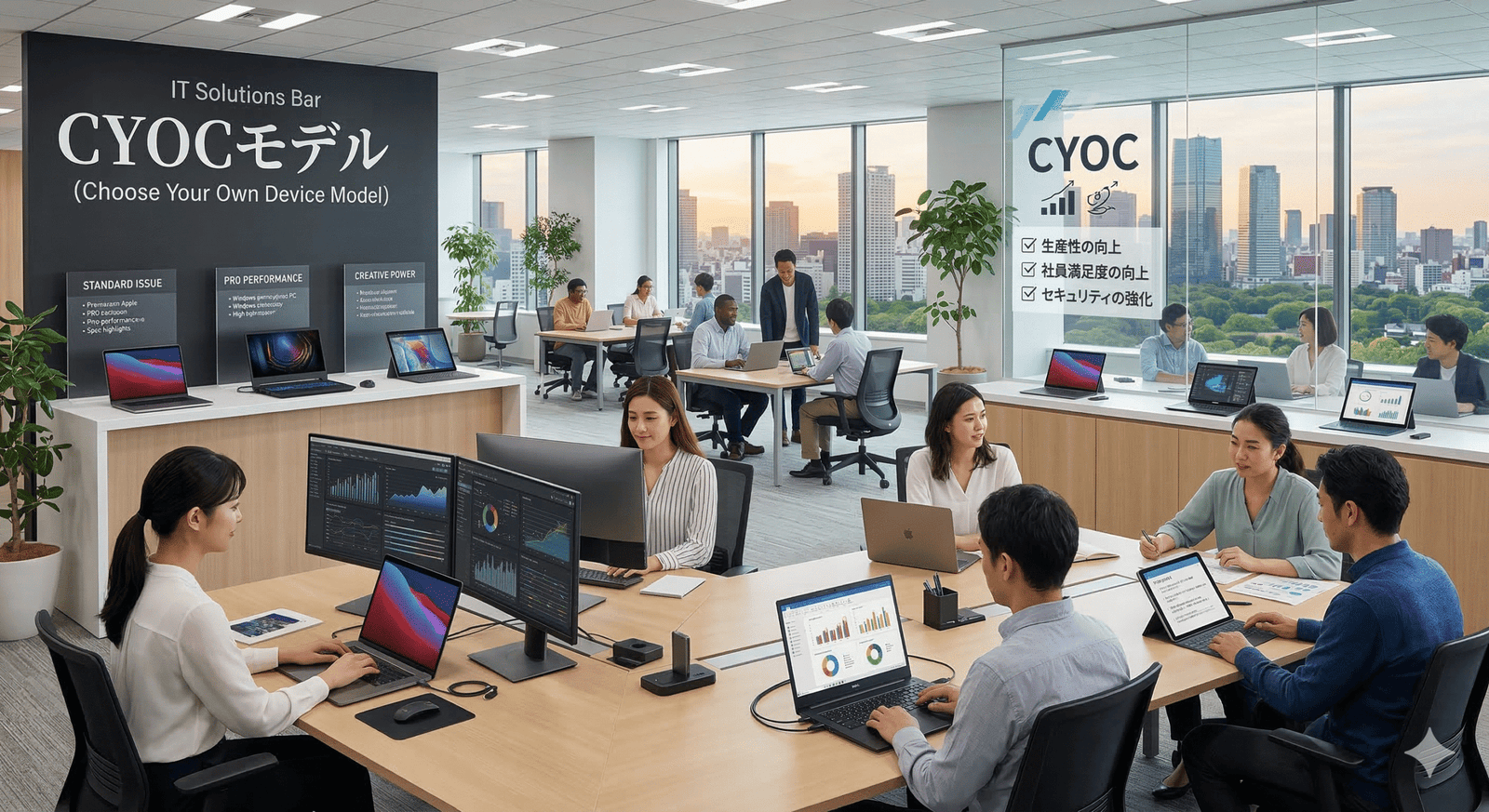
The CYOC strategy allows employees to select their preferred work equipment from a pre-approved list curated by the IT department. Unlike older models, this gives the user a sense of ownership while keeping the company in control of the underlying software environment.
- Curated Selection: IT provides a menu of 3 to 5 devices that meet performance and security standards.
- Company Owned: The business typically buys and owns the hardware, ensuring full asset management.
- User Preference: Employees choose the operating system (OS) or form factor that suits their specific role.
- Standardization: Despite the choice, support remains manageable because the list is limited.
The Evolution from BYOD to CYOC
To understand why we are here, we have to look at the history of mobile device management. We moved from strict “Corporately Owned, Personally Enabled” (COPE) to “Bring Your Own Device” (BYOD), and finally to the balanced CYOC approach.
- BYOD Issues: Privacy concerns arise when personal and work data mix on one personal phone or laptop.
- Shadow IT: When people hate company tech, they use their own, creating massive security holes.
- The CYOC Fix: It removes the privacy headache by providing a dedicated work device that the user actually likes.
- Uniformity: It ensures everyone has modern hardware, preventing “tech debt” where old machines slow down the team.
Boosting Employee Productivity and Morale
Contented workers are productive workers. When an employee uses a CYOC device, they bypass the “learning curve” associated with switching between different operating systems or keyboard layouts.
- Interface Familiarity: A designer who has used macOS for a decade will work faster on a MacBook than a forced Windows PC.
- Job Satisfaction: Choice is a form of respect; it shows the company values the employee’s comfort.
- Recruitment Edge: Offering premium tech choice is a powerful “perk” in a competitive hiring market.
- Reduced Friction: Fewer calls to help desks regarding “how to find X setting” on an unfamiliar OS.
Security Advantages of Choice-Based Programs
Security is often the biggest fear for IT directors, but CYOC actually simplifies the defense perimeter. Because the company vets the hardware, they can ensure hardware-level security features are present.
- Unified Endpoint Management (UEM): IT can pre-load security software and encryption before the device reaches the user.
- Controlled Updates: Patches and OS updates can be pushed remotely across the approved device list.
- Sandboxing: Professional-grade hardware supports better virtualization and sandboxing of risky applications.
- Asset Tracking: Since the company owns the serial numbers, remote wiping is legally and technically easier.
Financial Comparison: CYOC vs. BYOD vs. Standard Issue
| Metric | Standard Issue | BYOD | CYOC Program |
| Upfront Cost | High (Bulk Buy) | Zero | Moderate to High |
| Support Expense | Low (One Image) | High (Infinite Variety) | Moderate (Balanced) |
| Security Risk | Very Low | Very High | Low |
| User Satisfaction | Low | High | Very High |
| Data Privacy | Strong | Weak | Strong |
Overcoming IT Support Challenges
One might think that CYOC creates a nightmare for support teams, but with modern cloud-based deployment, managing two or three different operating systems is now routine.
- Zero-Touch Provisioning: Using tools like Apple Business Manager or Windows Autopilot to ship devices directly to homes.
- Knowledge Base Expansion: Teams need to be cross-trained, but only on a specific, limited set of hardware.
- Peripheral Compatibility: Standardizing on USB-C and cloud docks makes it easy for any chosen device to fit the office desk.
- Modular Support: If one device fails, the “loaner” pool is easier to manage when the list is curated.
Impact on Talent Acquisition and Retention
In the “War for Talent,” the tools provided are part of the brand image. A CYOC policy tells a candidate that the organization is forward-thinking and flexible.
- Gen Z Expectations: Younger workers expect high-quality, modern interfaces as a baseline.
- Retention Statistics: Studies show employees are 20% more likely to stay at a company that offers tech flexibility.
- Onboarding Wow-Factor: Letting a new hire “shop” for their laptop before their first day creates immediate engagement.
- Professional Identity: For many tech workers, their choice of OS is part of their professional identity.
Strategic Implementation: A Step-by-Step Guide
Moving to a CYOC model requires more than just a trip to the electronics store. It needs a structured policy that defines who gets what and when.
- Step 1: Audit: Determine the performance needs of different departments (e.g., Marketing vs. Accounting).
- Step 2: Vendor Vetting: Choose partners that offer enterprise-grade warranties and global shipping.
- Step 3: Policy Drafting: Define replacement cycles (usually every 3 years) and accidental damage rules.
- Step 4: Launch: Start with a pilot group to iron out any deployment kinks.
Cost Management and Bulk Purchasing Power
Even with choice, you can still save money. CYOC allows for “standardized variety,” which still qualifies for enterprise discounts from major manufacturers.
- Leasing Options: Many companies lease their device fleet to keep capital liquid.
- Buy-Back Programs: At the end of the 3-year cycle, hardware can be sold back to offset new costs.
- Bulk Logistics: Shipping 500 units of three models is still cheaper than 500 units of fifty different models.
- Reduced Turnover Costs: The cost of replacing a frustrated employee is far higher than the price of a premium laptop.
Data Privacy and Legal Compliance
Compliance is non-negotiable. CYOC ensures that the company remains the data controller under laws like GDPR or CCPA, unlike the murky waters of BYOD.
- Separation of Data: Work-related files stay on a work-owned device, making legal discovery straightforward.
- Right to Wipe: In the event of a firing or resignation, the company has the legal right to wipe the entire machine.
- License Management: Software licenses are tied to the company, not the individual’s personal account.
- Liability: Clear boundaries on what the device can be used for (e.g., no illegal downloads) protect the firm.
Case Study: The Tech Giant Shift
A prominent Silicon Valley firm moved from a Windows-only “Standard Issue” model to a CYOC program. The results were immediate and measurable.
- Scenario: 5,000 employees were given a choice between three laptop brands.
- Outcome: IT support tickets dropped by 15% because users were more adept at troubleshooting their preferred OS.
- Employee NPS: The “Internal Net Promoter Score” for the IT department rose by 30 points.
- Cost Neutrality: While the hardware was slightly more expensive, the reduction in support labor made the project cost-neutral within 18 months.
Hardware Lifecycle in a Choice-Based System
Managing the “end of life” for diverse hardware requires a slightly different approach than a single-model fleet.
- Scheduled Refreshes: Use automated systems to alert users when their 36-month window is closing.
- Sustainability: Approved lists can prioritize eco-friendly brands or those with high repairability scores.
- Donation Paths: Older CYOC machines can be wiped and donated to schools, boosting corporate social responsibility.
- Refurbishment: High-end machines like MacBooks hold their value well for the secondary market.
Addressing the “Choice Overload” Problem
Too much choice can be a bad thing. The CYOC philosophy is about curated freedom, not an open-ended catalog that confuses the user.
- The Power of Three: Most successful programs offer a “Standard,” “Pro,” and “Ultra-Portable” option.
- Role-Based Access: Certain choices may only be available to specific tiers or departments (e.g., high-RAM for devs).
- Clear Specs: Provide simple comparison charts so non-technical employees can choose correctly.
- Trial Periods: Allow a short window for users to swap their choice if it doesn’t meet their needs.
Training the Modern IT Professional
A CYOC world requires “Polyglot IT” professionals who are comfortable in both macOS and Windows environments.
- Certification: Encourage staff to get both Microsoft and Apple certifications.
- Cloud Focus: Shift support from “how do I fix the hardware” to “how do I fix the cloud sync.”
- Soft Skills: Support staff need to be consultants, helping users pick the right tool for their workflow.
- Community Support: Create internal Slack channels where fans of specific devices can help each other.
The Future of Work and Device Diversity
As we look ahead, CYOC is likely to expand beyond just laptops to include tablets, specialized monitors, and even VR/AR headsets.
- The Spatial Era: As “spatial computing” takes off, choosing between a headset or a screen will be the next frontier.
- Mobile-First Work: Some roles might choose a high-end tablet over a traditional laptop.
- AI Hardware: Future choices will likely include devices with dedicated NPU chips for local AI processing.
- Global Mobility: A choice-based system allows global teams to pick hardware available in their local region easily.
FAQs
What is the main difference between BYOD and CYOC?
BYOD (Bring Your Own Device) involves employees using their personal property for work. In a CYOC (Choose Your Own Computer) model, the company buys and owns the device, but the employee gets to pick which one they want from an approved list.
Does a CYOC program cost more for the company?
Initially, hardware costs might seem higher because you aren’t buying 10,000 units of one single model. However, you save significantly on IT support labor, employee training, and turnover costs, often making it more affordable in the long run.
Is CYOC safe for high-security industries like finance?
Yes. Because the company still manages the “image” and the security software on the device, CYOC is considered very secure. It allows IT to ensure that every chosen device meets the necessary encryption and compliance standards.
Can employees take their CYOC device home?
Usually, yes. Since CYOC is designed for the modern hybrid world, these devices are typically laptops or tablets intended for use both in the office and at home, secured by VPNs and cloud management.
How often should CYOC devices be replaced?
The industry standard is a 3-year (36-month) refresh cycle. This ensures that the hardware remains performant, the battery life stays healthy, and the security features remain up-to-date with current threats.
What happens if an employee breaks a CYOC device?
Most companies treat this like any other corporate asset. There is usually an accidental damage protection (ADP) plan in place. The employee would receive a temporary loaner of the same model while theirs is repaired.
Can I include Apple products in a CYOC list for a Windows-based company?
Absolutely. With modern cloud-based identity providers like Okta and Azure AD, managing Macs in a Windows environment is much easier than it was ten years ago. It is one of the most popular reasons companies adopt the CYOC model.
Conclusion
Adopting a CYOC strategy is a signal that your organization is ready for the future of work. It moves away from the “one-size-fits-all” mentality that has plagued corporate IT for decades and embraces the reality of user-centric design. By offering choice, you aren’t just giving out hardware; you are giving out autonomy, efficiency, and a better daily experience for every member of your team.
The transition to a CYOC model pays dividends across every department. HR sees higher retention, IT sees a more engaged user base that is easier to support, and the Finance department sees a workforce that is getting the most out of every dollar spent on technology. While it requires a shift in how we think about deployment and security, the tools available today make it more accessible than ever before.