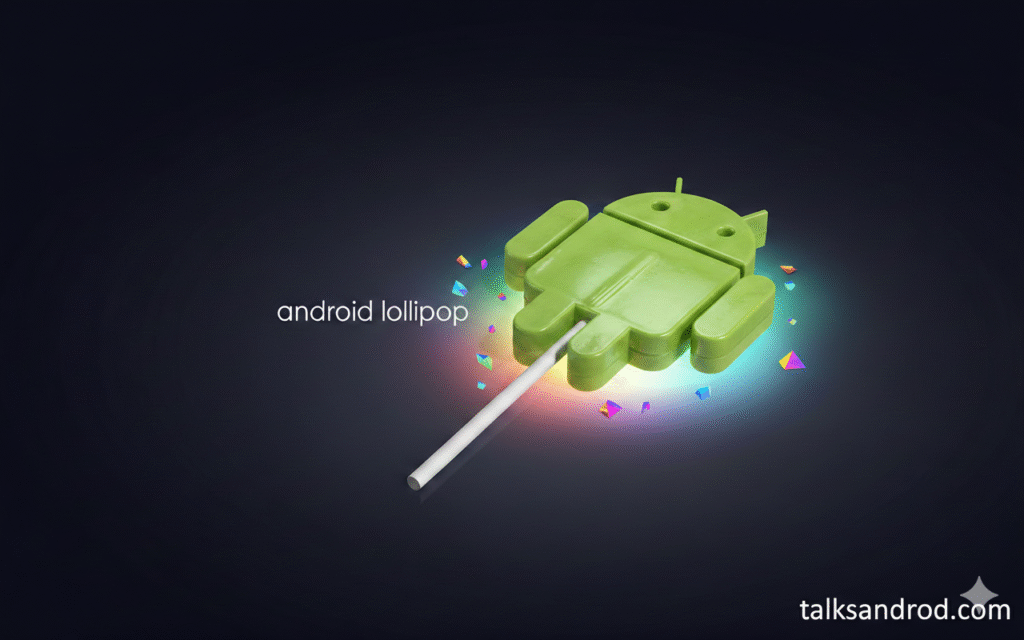
In the shifting landscape of mobile operating systems, few releases hold as much nostalgic and aesthetic weight as Android 5.1 Lollipop. Introduced during a pivotal era for Google, this update solidified the “Material Design” language, a visual philosophy that treated pixels like physical surfaces. At the heart of this transformation was the android 5.1 wallpaper collection a series of high-resolution, geometric, and landscape-oriented images that defined the look of millions of devices. Even in 2026, these backgrounds remain a gold standard for minimalist design, offering a clean, bold look that transcends temporary tech trends.
The significance of these wallpapers goes beyond mere decoration; they represent the intersection of paper-like textures and digital fluidity. For users seeking a retro-modern look or developers aiming to understand the roots of current UI/UX standards, revisiting these assets provides a profound sense of clarity. This article offers a comprehensive solution for those looking to download, optimize, and apply these iconic backgrounds on modern high-definition screens. We will explore the technical specifications, the psychological impact of their color palettes, and provide actionable tips for revitalizing your current smartphone interface with a touch of classic Google elegance.
The Legacy of Material Design in Android 5.1
Android 5.1 was not just a stability update; it was the final refinement of the initial Material Design launch. The android 5.1 wallpaper set was specifically crafted to showcase the depth and shadow capabilities of the new interface.
- Tactile Surfaces: Wallpapers often mimicked layered paper or cloth textures.
- Bold Geometry: Clean lines and overlapping shapes created a sense of physical space.
- Vibrant Palette: High-contrast colors were used to make the system icons “pop” off the screen.
Technical Specifications of Original Lollipop Backgrounds
To appreciate the quality of an android 5.1 wallpaper, one must understand the technical rigor involved in its creation. These were some of the first stock backgrounds optimized for Quad HD displays.
- Standard Resolution: Most assets were provided in 2560 x 2560 pixels to support scrolling.
- Aspect Ratio: Designed as square images to accommodate both portrait and landscape tablet rotations.
- File Format: High-quality JPEGs with minimal compression to preserve smooth gradients.
Psychological Impact of Geometric Patterns
The designers at Google didn’t pick shapes at random. The geometric patterns in the android 5.1 wallpaper collection were meant to induce a feeling of order and professional reliability.
- Triangles: Suggested movement and dynamic energy.
- Overlapping Layers: Created a subconscious map of depth and hierarchy.
- Symmetry: Provided a sense of balance that reduced visual fatigue for daily users.
Comparing Android 5.1 Wallpapers to Modern Styles
How do these classic backgrounds stack up against the “Material You” dynamic colors of today? The difference lies in fixed precision versus algorithmic adaptability.
| Feature | Android 5.1 (Lollipop) | Android 14/15 (Modern) |
| Design Style | Static Geometric/Minimalist | Dynamic/Fluid/Generative |
| Color Control | Fixed, bold palettes | User-adaptive “Dynamic Color” |
| Texture | Physical paper/Shadows | Glassmorphism/Blurred gradients |
| Primary Theme | Bold and Playful | Subtle and Personal |
The Iconic “Aerial” Landscape Series
A standout category within the android 5.1 wallpaper library is the satellite and aerial photography. These images moved away from abstract shapes toward the beauty of the natural world.
- Satellite Perspective: Abstracted views of salt pans and mountain ranges.
- Color Contrast: Deep blues of oceans clashing with beige sands.
- Realism: These provided a sophisticated alternative to the bright, primary-colored geometric shapes.
How to Scale Classic Wallpapers for 4K Screens
If you are using an android 5.1 wallpaper on a modern 2026 flagship, you might notice slight softening. Upscaling is necessary to maintain the “Lollipop” crispness.
- AI Upscaling: Use tools like Topaz Photo AI or Waifu2x to double the resolution.
- Sharpening: Apply a light unsharp mask to highlight the “paper edges” of the design.
- Noise Reduction: Ensure that gradients remain smooth without digital banding.
Finding Authentic Download Sources
Safety is paramount when downloading system assets. Many sites offer low-quality re-crops of the original android 5.1 wallpaper set.
- Official Repositories: Look for GitHub archives of the original AOSP (Android Open Source Project) builds.
- Museum of Pixels: High-quality fan-maintained galleries that preserve original metadata.
- Wallhaven/Unsplash: Search specifically for “Material Design 1.0” for high-res versions.
Customizing Icon Packs to Match Your Wallpaper
A wallpaper is only as good as the icons sitting on top of it. To get the full 5.1 experience, you should pair your android 5.1 wallpaper with period-accurate iconography.
- Moonshine Icon Pack: A classic choice that captures the flat-yet-shadowed look.
- Rovo Icons: Focuses on the specific color gamut used in the Lollipop era.
- Nova Launcher: Allows you to adjust icon shadows to match the lighting in the wallpaper.
The Evolution of Google’s Design Team
The team behind the android 5.1 wallpaper was led by visionaries like Matias Duarte. Their goal was to move away from “Skeuomorphism” toward a digital-first reality.
- Paper and Ink: The philosophy that digital objects should behave like paper.
- Shadow Logic: Shadows were mathematically calculated to simulate a light source from the top.
- Motion: The wallpapers were designed to feel static yet ready to react to touch.
Impact on Third-Party Manufacturers
The bold look of the android 5.1 wallpaper forced brands like Samsung and LG to reconsider their own bloated skins, leading to a more unified Android experience.
- Unified UX: Manufacturers began adopting cleaner, flatter backgrounds.
- Theme Engines: The popularity of the stock look led to the rise of custom theme stores.
- Market Shift: Users began demanding “Stock Android” aesthetics over manufacturer “flavor.”
Material Design 1.0 vs. 2.0 and 3.0
The android 5.1 wallpaper belongs to the 1.0 era. Understanding the lineage helps in choosing the right background for your specific aesthetic niche.
- 1.0 (Lollipop/Marshmallow): Bold, tactile, shadow-heavy.
- 2.0 (Pie/Q): Rounded corners, more white space, cleaner lines.
- 3.0 (Material You): Personalization, pastel colors, algorithmic harmony.
Case Study: The Return of Retro Tech Styles
In 2025, a trend emerged where Gen Z users began using “retro” Android skins. The android 5.1 wallpaper became a central part of this “Y2K-adjacent” tech aesthetic.
- Visual Comfort: Users reported less anxiety with static, geometric backgrounds compared to live, moving ones.
- Battery Efficiency: Static wallpapers contribute to longer battery life on OLED screens.
- Simplicity: Highlighting the “tools” of the phone rather than the “entertainment.”
Setting Up Live Wallpapers Inspired by 5.1
While most android 5.1 wallpaper options are static, several developers created “Live” versions that react to the gyroscope or touch.
- Chrooma Live Wallpaper: Dynamically changes colors based on your apps.
- Material Islands: A minimalist live wallpaper that changes based on the time of day.
- Tapet: Generates infinite geometric patterns in the style of original Lollipop.
Optimizing Wallpapers for OLED vs. LCD
Depending on your screen technology, an android 5.1 wallpaper might look different. Proper calibration ensures the colors remain accurate.
- OLED Displays: Look for wallpapers with deep blacks to take advantage of infinite contrast.
- LCD Panels: Brighter, more saturated versions work better as LCDs struggle with true black.
- True Tone/Comfort View: Disable these temporarily when selecting your wallpaper to see the real colors.
The Role of Wallpapers in Digital Wellbeing
Your choice of an android 5.1 wallpaper can affect your productivity. A cluttered background leads to a cluttered mind.
- Minimalism: Reduces “visual noise” and helps you find apps faster.
- Color Therapy: Using the blue-toned 5.1 landscapes to induce a sense of calm.
- Focus Modes: Use darker geometric patterns during work hours to minimize distraction.
Archiving Digital History: Why We Preserve 5.1
Preserving the android 5.1 wallpaper set is about more than just files; it’s about documenting a major shift in human-computer interaction.
- Cultural Touchstone: Represents the point where Android became “beautiful.”
- Design Education: Serves as a primary example for students learning grid-based design.
- Accessiblity: The high contrast of these designs made them some of the most accessible backgrounds in history.
Creative Uses for Lollipop Wallpapers Today
Don’t stop at your phone. The high resolution of the android 5.1 wallpaper collection makes it suitable for various digital platforms.
- Desktop Backgrounds: Excellent for a clean, distraction-free PC setup.
- Social Media Banners: Use the geometric patterns for a professional LinkedIn or X (Twitter) profile.
- Smart Watch Faces: Crop the central geometric shapes for a unique wearable look.
How to Manually Recreate the Lollipop Look
For those who want a custom version, you can design your own android 5.1 wallpaper using basic vector tools like Figma or Canva.
- Layering: Use 3-4 layers of overlapping shapes.
- Drop Shadows: Apply a 4px blur shadow with a 90-degree angle.
- Gradient Fills: Use subtle linear gradients rather than flat colors to simulate depth.
The Retro-Modern Configuration Table
| Component | Recommendation | Why it works |
| Launcher | Nova Launcher Prime | Essential for custom icon scaling and “shadow” adjustments. |
| Icon Pack | Moonshine or Vertumus Polycon | These use the original Material palette with distinct long shadows. |
| Widgets | KWGT (Kustom Widget Maker) | Allows you to recreate the classic “Search Bar” with Google’s old logo. |
| Animations | 1.5x Window Scale | Slowing down transitions mimics the “weighty” feel of Lollipop. |
| Font | Roboto (Classic) | The original sans-serif font that defined the Android 5.1 UI. |
Step-by-Step Setup Instructions
1. Wallpaper Preparation
Before applying your android 5.1 wallpaper, ensure it is centered correctly. Android 5.1 relied on “Wallpaper Scrolling.”
- Enable Wallpaper Scrolling in your launcher settings.
- This ensures that as you swipe between home screens, the geometric patterns move slightly, creating a parallax effect.
2. Icon Customization
The goal is to make icons look like physical paper stickers sitting on the screen.
- Set icon size to 110% to match the larger, bolder look of the Lollipop era.
- Disable Icon Labels on the home screen for a “Zen” minimalist look that emphasizes the wallpaper’s geometry.
3. The Classic “Lollipop” Search Bar
Using KWGT, you can place a legacy search bar that contrasts beautifully with your background.
- Choose a pill-shaped or rectangular bar with a white background.
- Set the transparency to 90% so the colors of your android 5.1 wallpaper subtly bleed through the widget.
4. System Navigation
For the ultimate retro feel, switch from “Gesture Navigation” back to the 3-button navigation bar.
- The Triangle, Circle, and Square were the signature geometric shapes introduced alongside these wallpapers.
- It completes the “Material” look by framing the wallpaper with the classic Android navigation icons.
Pro-Tip for 2026 Displays
If you are using an AMOLED screen, look for the Dark Grey geometric variants of the 5.1 set. While the vibrant colors are iconic, the dark variants allow the Material shadows to look deeper and more realistic, giving your phone a sophisticated, “premium” feel.
FAQs
Where can I find the original android 5.1 wallpaper?
The best place to find the original set is through AOSP archive sites or specialized wallpaper community forums like Wallhaven. Ensure you are downloading the 2560×2560 resolution to get the authentic quality intended for high-end Lollipop devices.
Will these wallpapers work on my iPhone or modern Samsung?
Yes, an android 5.1 wallpaper is simply an image file (usually .jpg). You can save it to your gallery and set it as your lock screen or home screen on any modern iOS or Android device.
Are there “Live” versions of the Android 5.1 wallpapers?
While the original 5.1 release featured static images, many apps on the Play Store, such as “Material Circle” or “Tapet,” allow you to generate live, interactive backgrounds that mimic the 5.1 aesthetic.
Why does my wallpaper look blurry on my new phone?
Modern phones often have much higher pixel densities than those from the 2015 era. You may need to use an AI image upscaler to increase the resolution of the android 5.1 wallpaper to match your 4K or 1440p screen.
Did Android 5.1 introduce the “Marshmallow” wallpaper?
Technically, Android 5.1 was the peak of the Lollipop era. The “Marshmallow” (Android 6.0) wallpapers were a slight evolution, adding more satellite photography and deeper textures, but they share the same Material Design DNA.
Is it legal to download and use these wallpapers?
Yes, these were provided as part of the Android Open Source Project. Using them for personal decoration on your devices is perfectly legal and a common practice among tech enthusiasts.
Can I change the colors of a 5.1 wallpaper?
Absolutely. Using a simple photo editor, you can adjust the “Hue/Saturation” settings to change a blue geometric android 5.1 wallpaper to green or red to better fit your personal style or icon pack.
Conclusion
The android 5.1 wallpaper collection remains an enduring testament to the power of thoughtful, cohesive design. By moving away from the complex textures of the past and embracing the “Material” philosophy, Google created a visual language that still feels fresh over a decade later. Whether you are drawn to the crisp lines of the geometric abstracts or the serene heights of the aerial landscapes, these backgrounds offer a rare combination of professional polish and artistic expression. They provide a clear solution for anyone looking to simplify their digital life without sacrificing visual impact.
As we look toward the future of digital interfaces in 2026, the lessons of Android 5.1 hierarchy, clarity, and intentionality are more relevant than ever. Integrating these classic assets into your modern device is a way to celebrate tech history while enjoying a top-tier user experience. We encourage you to explore the archives, experiment with upscaling techniques, and find the specific android 5.1 wallpaper that resonates with your personal brand of digital minimalism. Your smartphone is the portal through which you interact with the world; why not make that portal a masterpiece of Material Design?