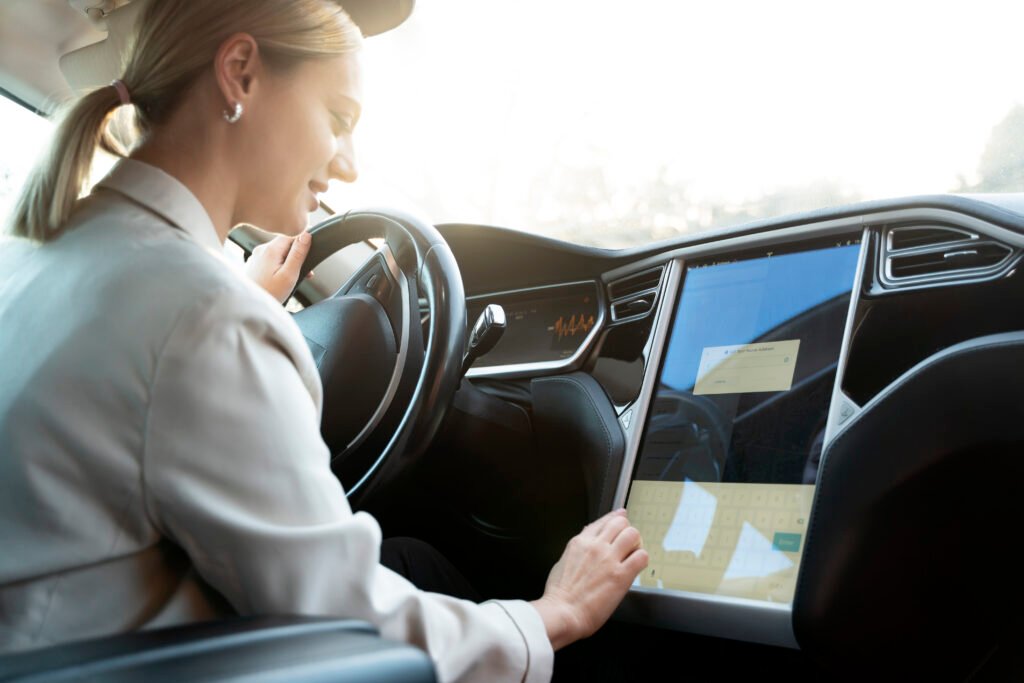
The automotive world has witnessed a fascinating tug-of-war between Tesla’s closed ecosystem and the open-source demand for Android Auto Tesla integration. For years, Tesla owners have looked at the massive 15-inch center display and wondered why they couldn’t simply mirror their favorite smartphone apps. While Tesla’s native interface is sleek and responsive, it lacks the deep personalization and app diversity that Google’s ecosystem provides.
In 2026, the landscape has shifted. While Elon Musk’s company continues to push its own proprietary software, the community has fought back with ingenious hardware and software workarounds. Whether you are looking for a plug-and-play dongle or a sophisticated browser-based streaming solution, getting Android Auto to work on your Model 3, Model Y, or Model S is easier than ever. This guide provides the most up-to-date solutions to bridge the gap between your Android device and your Tesla’s dashboard.
The Current State of Android Auto Tesla Compatibility
Tesla still does not offer native, factory-installed support for Android Auto. The brand focuses on controlling the user experience through its own Tesla OS, which integrates Google Maps data but lacks the full Google Play Store suite.
- Official Support: Currently non-existent in the factory firmware.
- Third-Party Hardware: Highly effective dongles like Carlinkit T2C have matured.
- Browser Hacks: Apps like TaaDa and TeslaAA allow streaming via the car’s web browser.
- The “Juniper” Update: Newer 2026 Model Y “Juniper” editions still rely on these external methods.
Top Methods for Getting Android Auto in Your Tesla
To enjoy Android Auto, you generally have to choose between a software-based browser workaround or a dedicated hardware module. Each has its own set of pros and cons regarding stability and cost.
- Carlinkit T2C Adapter: A popular hardware box that creates a Wi-Fi hotspot for the car to connect to.
- Tesla Android Project: An open-source Raspberry Pi-based solution for tech enthusiasts.
- TaaDa App: A simplified mobile app that streams the interface directly to the Tesla browser.
- Secondary Dashboard Screens: Aftermarket displays that sit behind the steering wheel and run Android Auto natively.
How the Carlinkit T2C Adapter Works
The Carlinkit T2C is widely considered the gold standard for “plug-and-play” Android Auto on Tesla. It tricks the Tesla browser into thinking it is accessing a web-based video stream, which is actually the Android Auto interface.
- Connectivity: Uses the car’s USB-C port for power.
- Wireless Link: Connects to your phone via Bluetooth and Wi-Fi.
- Setup: Once paired, you navigate to a specific URL (like
tespush.com) on the Tesla browser. - Performance: Offers relatively low latency and supports steering wheel controls.
Understanding the Tesla Android Project (v2.0)
For those who want a truly professional and high-performance setup, the Tesla Android Project by Michał Gapiński is the most robust option available in 2026. It uses a custom-built hardware kit.
- Hardware: Powered by a Raspberry Pi or dedicated “Tesla Android” hardware modules.
- Features: Supports 60FPS video, full GPS passthrough, and even Netflix/YouTube while driving.
- Integration: It provides a virtual Android environment that feels like a native part of the car.
- Updates: Receives frequent Over-The-Air (OTA) updates to maintain compatibility with Tesla’s shifting firmware.
Comparing Android Auto Tesla Solutions
| Feature | Carlinkit T2C | Tesla Android Project | TaaDa App | Secondary Screens |
| Ease of Setup | Easy (Plug-and-Play) | Moderate (Tech-heavy) | Very Easy (App-based) | Difficult (Hardware Install) |
| Reliability | High | Excellent | Moderate | Very High |
| Audio Lag | Minimal | Zero | Low | Zero |
| Cost | ~$60 – $100 | ~$150 – $250 | Free / Subscription | $200 – $500 |
Using the Tesla Web Browser for App Mirroring
The Tesla web browser is the gateway for most Android Auto workarounds. Since the V11 and V12 software updates, the browser has become significantly faster, enabling smoother video playback.
- Full Screen: Most tools now support a “full-screen” mode to hide the browser address bar.
- Drive Mode: You must ensure the “Remain Connected in Drive” Wi-Fi setting is toggled ON.
- Audio Routing: Sound is usually routed via Bluetooth to ensure high-fidelity audio through the Tesla speakers.
- Security: Most apps use a local VPN to keep the connection private between the phone and the car.
Benefits of Android Auto Over Tesla’s Native OS
Why go through the trouble of installing Android Auto Tesla solutions? The answer lies in the apps that Tesla simply doesn’t support yet, such as Waze, WhatsApp, and Microsoft Teams.
- Waze Integration: Get real-time police alerts and hazard warnings that Tesla’s maps lack.
- Messaging: Listen to and reply to messages from Telegram, Signal, and WhatsApp using Google Assistant.
- Music Choice: Access niche streaming apps like Tidal, Pandora, or local radio apps.
- Google Assistant: A far more capable voice assistant than Tesla’s built-in voice commands.
Setup Guide: Installing Android Auto via Carlinkit
If you choose the hardware route, the setup process is straightforward. Most users can get it running in under five minutes without any tools or permanent vehicle modifications.
- Plug In: Connect the Carlinkit device to the front USB port of your Tesla.
- Phone Pairing: Pair your Android phone to the device via Bluetooth.
- Tesla Wi-Fi: Connect your Tesla’s Wi-Fi to the network named “Autokit-xxxx.”
- Browser Entry: Open the Tesla browser and type in the provided IP or URL.
- Enjoy: Android Auto will now appear on your center screen.
Software-Only Solutions: TaaDa and TeslaAA
If you don’t want to buy extra hardware, software-only solutions are the most budget-friendly way to get Android Auto Tesla functionality. These apps turn your phone into a server that your car’s browser can “watch.”
- App Store: Download “TaaDa” or “TeslaAA” from the Google Play Store.
- Hotspot: Your phone must be acting as a Wi-Fi hotspot for the car.
- Resolution: You can often adjust the resolution within the app to prevent lag on older Tesla MCUs.
- Battery: This method consumes significant phone battery, so keep your phone on the wireless charger.
Challenges and Limitations in 2026
While the community has made huge strides, there are still hurdles when using Android Auto Tesla workarounds. These are not official features, so they can be affected by Tesla’s software updates.
- Browser Crashes: Occasionally, the Tesla browser may refresh or crash during long drives.
- Input Lag: There is a slight delay (latency) between touching the screen and the app responding.
- MCU Versions: Older Tesla Model S and X vehicles with “MCU1” processors are often too slow to run these solutions effectively.
- Audio Switching: Sometimes the car may switch back to Tesla’s native radio instead of staying on the Android Auto audio source.
Aftermarket Dashboard Displays for Tesla
For many owners, the best “Android Auto Tesla” experience isn’t on the main screen at all. Installing a secondary dashboard display behind the steering wheel provides a native-feel interface.
- Design: These screens often look like the instrument clusters found in traditional luxury cars.
- Placement: Usually mounted on the steering column or integrated into the air vent trim.
- Functionality: They run standalone Android OS and support wireless Android Auto independently of the Tesla screen.
- Compatibility: Most are designed specifically for the Model 3 and Model Y.
Connectivity Settings: The Secret to Stability
The biggest complaint from users is the car disconnecting from the Wi-Fi when shifting into gear. To fix this, you must adjust a specific hidden setting in your Tesla.
- Wi-Fi Settings: Go to the Wi-Fi menu on your Tesla screen.
- Remain Connected: Tap on your phone’s hotspot or the dongle’s network.
- Toggle: Check the box that says “Remain connected in Drive.”
- Auto-Join: Ensure the network is set to “Auto-join” so it reconnects every time you get in the car.
Future Outlook: Will Tesla Ever Support Android Auto?
As of 2026, rumors suggest Tesla is softening its stance on third-party mirroring, partly due to pressure in the European and Chinese markets. However, a full “official” rollout seems unlikely.
- Apple CarPlay Rumors: Reports of Tesla testing Apple CarPlay suggest Android Auto might follow.
- App Store Development: Tesla may instead launch its own official App Store for third-party developers.
- Market Pressure: With brands like Rivian and GM reconsidering their “no-mirroring” stance, Tesla might be forced to adapt to stay competitive.
Safety and Distraction-Free Driving
The primary goal of Android Auto Tesla integration is to make driving safer by reducing the need to touch your phone. Using voice commands is the key to this experience.
- Voice Control: “Hey Google, navigate to the nearest charger” or “Text Mom I’m five minutes away.”
- Large Icons: Android Auto’s interface is designed with oversized touch targets for easy use while driving.
- Dark Mode: The interface automatically switches to dark mode based on your Tesla’s headlight status.
- Customization: You can rearrange the home screen to keep your most-used apps (like Waze or Spotify) front and center.
Choosing the Right Solution for Your Needs
With so many options, picking the right Android Auto Tesla method depends on your technical skill and your budget.
- Best for Budget: TaaDa or TeslaAA apps (Software only).
- Best for Reliability: Carlinkit T2C (Hardware dongle).
- Best for Power Users: Tesla Android Project (Raspberry Pi).
- Best for Aesthetics: Secondary Dashboard Displays.
FAQs
Does Android Auto work on Tesla natively?
No, Tesla does not provide native support for Android Auto. You must use third-party hardware (like Carlinkit) or software apps (like TaaDa) that utilize the car’s web browser to mirror the interface.
Can I use Waze on my Tesla screen with Android Auto?
Yes, using a workaround like the Tesla Android Project or a Carlinkit dongle allows you to run Waze directly on the center display, complete with real-time hazard and police alerts.
Will using these workarounds void my Tesla warranty?
Generally, no. Most solutions like dongles or browser apps are non-invasive. However, installing aftermarket physical screens may require tapping into the car’s wiring, which could affect certain parts of your warranty.
How much does it cost to get Android Auto on a Tesla?
Prices range from free (basic software apps) to $100 for a reliable wireless dongle, up to $500 for a high-quality secondary dashboard display with native integration.
Is there a lot of lag when using Android Auto in a Tesla?
Browser-based solutions usually have a latency of 100ms to 300ms. While noticeable, it is usually perfectly functional for navigation and music. Hardware solutions like the Tesla Android Project offer the lowest lag.
Can I use steering wheel buttons to control Android Auto?
Yes, the latest hardware dongles like the Carlinkit T2C support using the steering wheel scroll wheels for volume control and skipping tracks within Android Auto.
Do I need a premium connectivity subscription for this to work?
No, you do not need Tesla’s Premium Connectivity. However, since the car uses Wi-Fi to connect to the Android Auto device, it will use your phone’s data plan for maps and streaming.
Conclusion
Getting Android Auto Tesla compatibility isn’t as straightforward as it is in a Ford or a Hyundai, but it is incredibly rewarding for those who value the Google ecosystem. Whether you choose the plug-and-play simplicity of a Carlinkit T2C or the high-performance depth of the Tesla Android Project, you can finally have the best of both worlds: Tesla’s industry-leading electric drivetrain and Google’s world-class software.
In 2026, the community has solved almost every major hurdle, from audio lag to connectivity drops. While we all hold out hope for a “Software Update” from Tesla that enables native support, these third-party solutions are now mature enough for daily use. If you are tired of missing out on Waze alerts or struggling with Tesla’s limited messaging features, now is the perfect time to upgrade your infotainment experience.