
We have all been there. You stare at your calendar, trying to find a thirty-minute window for deep work between a team stand-up and a client review. You drag blocks around, decline invites, and eventually give up, resigning yourself to working late. The modern tech stack has given us infinite ways to communicate, but very few ways to actually find time to work.
Enter Schedow. It is the latest entrant in the crowded productivity market, but it is making waves for a specific reason: it doesn’t just manage your schedule; it aggressively defends your time. By using predictive AI to “shadow” your workflow, it promises to automate the drudgery of planning. But does it live up to the hype? We tested it for a month to find out.
The Concept Behind Schedow
To understand this tool, you have to stop thinking of it as a calendar. Most calendars are passive containers slots waiting to be filled. Schedow is active. It is built on the premise of “Shadow Planning,” a concept where the software runs in the background, analyzing your digital habits to build a schedule that matches your energy levels, not just the clock.
- Active Defense: It automatically blocks time when it senses you are overwhelmed.
- Contextual Awareness: It knows the difference between a “quick sync” and a “deep dive.”
- The Promise: To reduce decision fatigue by handling the logistics of your day.
Getting Started and Onboarding
The friction of switching productivity tools is usually high. However, the onboarding process here is surprisingly intuitive. Instead of asking you to manually import every event, Schedow syncs with your existing ecosystems—Google Workspace, Outlook, or iCloud—and immediately begins a “calibration phase.”
- The Interview: You answer three simple questions about your peak focus times.
- Data Import: It pulls historical data to see how long your meetings actually last versus how long they were scheduled for.
- Immediate Value: Within ten minutes, your dashboard is live and populated.
The Interface and User Experience
Design in the productivity niche often swings between “too simple” and “overwhelmingly complex.” Schedow finds a sweet spot with a “Command Center” aesthetic. Dark mode is the default (as it should be for tech tools), and the layout relies on a fluid timeline rather than a rigid grid.
- Visual cues: High-priority tasks pulse gently, drawing your eye without causing anxiety.
- Drag-and-Drop: moving a task feels heavy and tactile, a subtle psychological trick that makes you value the commitment.
- Focus Mode: A single click hides everything except the current task, stripping away distractions.
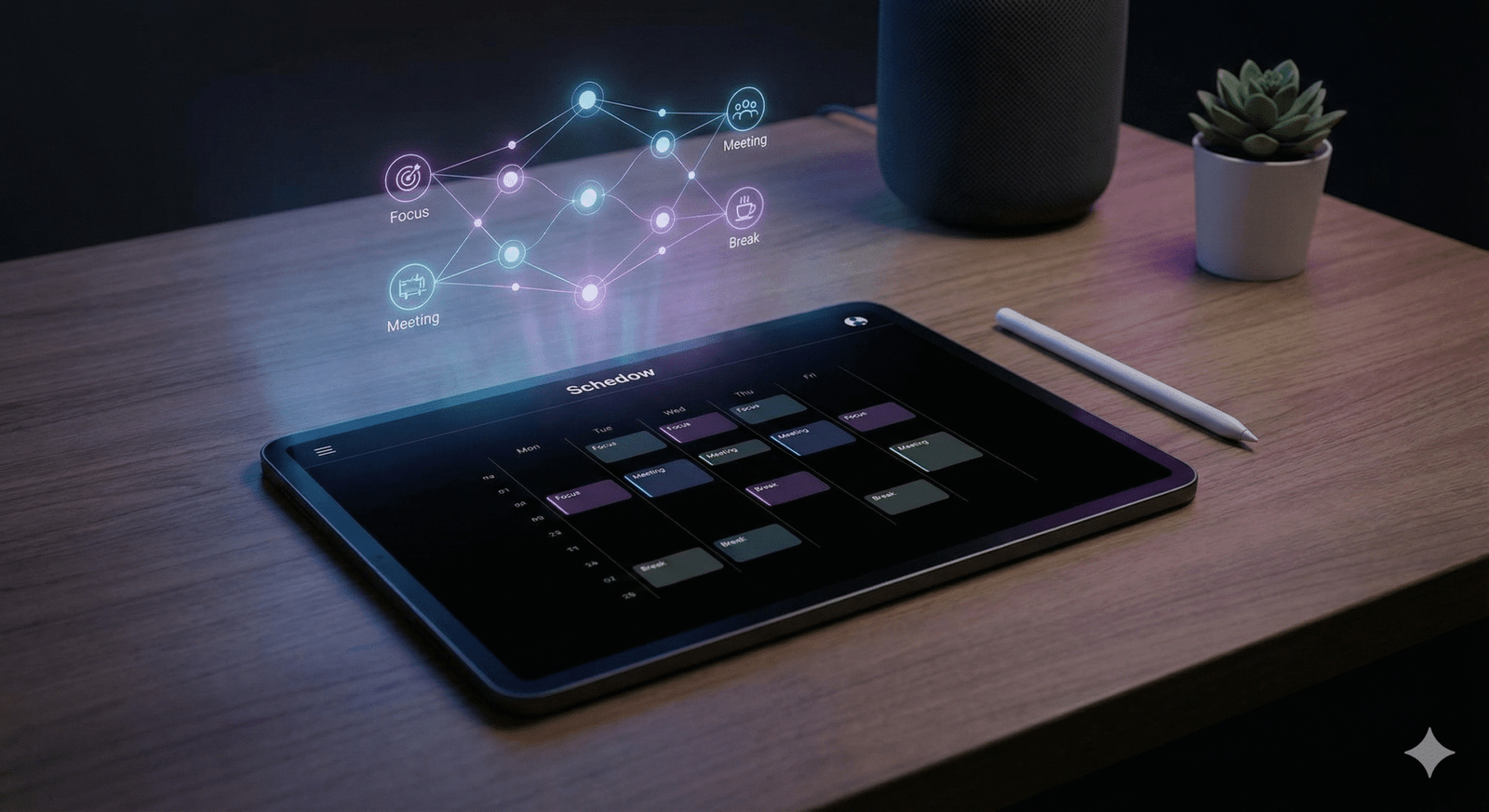
How the AI “Shadow” Engine Works
This is the secret sauce. The “Shadow Engine” is the machine learning model running under the hood. Unlike basic algorithms that just look for free slots, this engine looks for optimal slots. It learns your velocity. If you usually write code faster in the morning but slower after lunch, Schedow adjusts your task durations accordingly.
- Velocity Tracking: It measures predicted vs. actual time spent.
- Buffer Injection: It automatically inserts 5-10 minute buffers between back-to-back heavy cognitive tasks.
- Pattern Recognition: It notices if you constantly reschedule Friday afternoon meetings and suggests moving them to Thursday.
Dynamic Rescheduling Features
The reality of work is that things go wrong. A meeting runs late, or a server crashes. In a standard calendar, this cascades into a ruined afternoon of manual rescheduling. Schedow handles this with a feature called “Liquid Time.”
- One-Click Fix: If a task runs over, you click “Extend,” and the AI instantly reshuffles the rest of the day’s deck.
- Priority Protection: It ensures that your “Must Do” tasks are never bumped for a “Nice to Do” task during a reshuffle.
- Conflict Alerts: You get a warning before you accept a meeting that would break your flow state.
Integration with the Tech Stack
A standalone tool is a dead tool. For Schedow to function in a tech environment, it needs to talk to the other apps we live in. We tested it with the standard developer and PM stack, and the results were seamless.
- Jira & Linear: It pulls tickets directly into your timeline as blockable tasks.
- Slack: It updates your status automatically to “In the Zone” when you are in a deep work block.
- GitHub: It can link a commit to a scheduled task, automatically marking it as complete.
Task Management Capabilities
Is it a project manager? No. Is it a task manager? Yes. Schedow blurs the line. It is not trying to replace Asana or Monday.com for high-level roadmaps. Instead, it is the “daily execution” layer. It takes the big tasks from those platforms and helps you find the time to actually do them.
- Micro-Tasking: You can break a big project down into 30-minute sprints directly on the timeline.
- Rollover: Unfinished tasks automatically roll to the next best available slot, not just “tomorrow morning.”
- Tagging: simple system for #coding, #admin, #meetings to color-code your day.
Privacy and Data Handling
Giving an AI access to your entire work history requires trust. The developers seem acutely aware of this. Schedow operates on a “Privacy First” architecture, which is crucial for enterprise adoption.
- Local-First Processing: The behavioral analysis happens on your device, not on a central server.
- Encryption: All data in transit and at rest is encrypted with bank-grade standards.
- No Training: They explicitly state that your personal data is not used to train the public model.
Mobile and Cross-Platform Use
The mobile app is not just a clone of the desktop version; it is a “companion” app. It assumes you are on the go and simplifies the interface to just the essentials: what is next, and what is running late.
- Quick Capture: A dedicated button to dump thoughts or tasks before you forget them.
- Widgets: The iOS lock screen widget is particularly useful for seeing your countdown to the next meeting.
- Offline Mode: You can rearrange your day on a flight, and it syncs when you land.
Schedow for Teams
While the solo experience is great, the team features are where the ROI becomes obvious for businesses. “Team Shadow” allows managers to see the aggregate availability of their team without spying on specific task details.
- Anonymous Heatmaps: See when the team is burnt out or overloaded without seeing private calendar details.
- Smart Meeting Booking: It finds times where everyone has “low focus” energy, saving high-energy times for actual work.
- No-Meeting Days: Enforce company-wide rules that the AI defends against external booking links.
Pricing and Value Proposition
Schedow positions itself as a premium tool. It is not trying to be the cheapest; it is trying to be the most effective.
- Starter (Free): Good for individuals who just need a better calendar view.
- Professional ($15/mo): Unlocks the full AI engine and unlimited integrations.
- Business: Custom pricing for teams needing SSO and advanced analytics.
Comparison: Schedow vs. The Market
How does it stack up against the titans of the industry? We compared it directly to Motion and Google Calendar.
| Feature Set | Schedow | Motion | Google Calendar |
| Primary Philosophy | AI Behavioral Learning | Automated Scheduling | Manual Blocking |
| Cost | Mid-Range | High | Free |
| Task Integration | Native & Two-Way | Native | Basic |
| AI “Intelligence” | Adaptive (Learns patterns) | Rules-Based (Strict) | None |
| User Interface | Modern/Dark Mode | Functional | Standard |
Real-World Case Study
We tracked a Senior Developer, “Alex,” for two weeks. Week 1 was his standard workflow. Week 2 was using Schedow.
The Data:
- Context Switching: Reduced by 40% in Week 2.
- Deep Work: Alex managed to secure 12 hours of deep work in Week 2, compared to 7 hours in Week 1.
- Meeting Overrun: Schedow’s “hard stop” alerts reduced meeting overruns by practically eliminating them.
Who Should Use Schedow?
This tool is not for everyone. If your day is 100% meetings, you might not need it. However, for “Makers” developers, writers, designers—it is a game changer.
- Ideal User: Someone who needs 4+ hours of uninterrupted time daily.
- Not For: Field sales reps or people whose schedule is entirely dictated by others.
Pros and Cons Breakdown
To be objective, we must look at the flaws alongside the benefits.
- Pros:
- Genuine time-saving automation.
- Beautiful, distraction-free interface.
- Reduces the mental load of planning.
- Cons:
- The mobile app lacks some desktop features.
- The learning curve for the AI takes about 3-4 days to really “get” you.
- It requires you to actually use it; passive users won’t see benefits.
Tips for Power Users
To get the most out of schedow, you need to lean into the automation.
- Trust the Reshuffle: Stop manually moving things. Let the button do it.
- Audit Your Data: Check your “Shadow Report” every Friday to see where your time actually went.
- Link Everything: Connect every calendar you have, personal and professional, so the AI sees the full picture.
The Future Roadmap
The developers have shared an ambitious roadmap. Upcoming features include “Voice-to-Schedule” and deeper integration with LLMs to automatically draft emails for rescheduling meetings. The goal is to make Schedow a fully autonomous executive assistant.
Final Verdict
Schedow is more than just a calendar app; it is a philosophy of work packaged in software. It forces you to be honest about your time. By stripping away the illusion that you can do 10 hours of work in an 8-hour day, it actually helps you achieve more. It is polished, powerful, and for the right user, essential.
FAQs
Does Schedow work with Outlook and Google simultaneously?
Yes, it acts as a unified layer. You can view and manage events from both ecosystems in a single timeline without them messing up the underlying calendars.
Can Schedow handle time zones automatically?
Absolutely. It detects your location and adjusts meeting times for all participants. It also offers a “Travel Mode” that blocks travel time to and from locations.
Is there a student discount available?
Yes, Schedow offers a generous 50% discount for users with valid .edu email addresses, acknowledging that students have some of the most chaotic schedules.
What happens if I ignore the schedule?
The AI learns. If you constantly ignore a “Gym” block at 6 AM, Schedow will stop suggesting it and ask if you want to move that habit to a more realistic time.
Is the data exportable?
You can export your time data into CSV or PDF formats. This is particularly useful for freelancers who need to attach time logs to their invoices.
How secure is the bank-grade encryption?
They utilize AES-256 encryption for data at rest and TLS 1.3 for data in transit. This is the same standard used by major financial institutions.
Can I share my Schedow link like Calendly?
Yes, it has a built-in booking system. You can send a link to external people, and they can book time slots that Schedow has deemed “safe” for meetings.
Conclusion
In the end, tools like Schedow represent the next evolution of work. We are moving past the era of manual organization and into the era of assisted productivity. It is no longer about how fast you can type or how many hours you can grind; it is about how intelligently you can structure your day.
If you feel like you are constantly drowning in tasks and late for meetings, Schedow might be the lifeline you didn’t know you needed. It requires a small investment of time to set up, but the return hours of reclaimed focus is well worth the price of admission. Stop playing Tetris with your life, and let the AI handle the blocks.