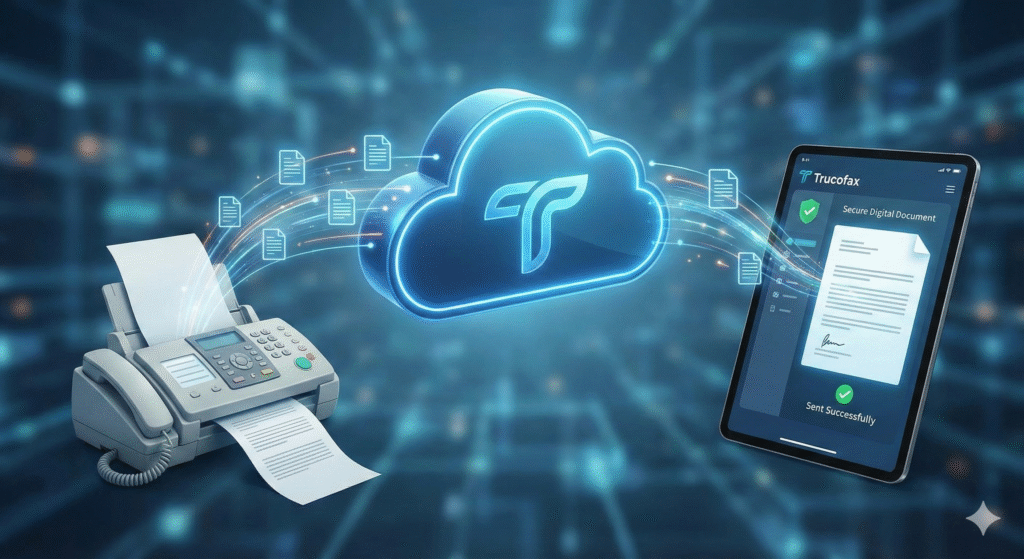
In an era dominated by instant messaging and cloud collaboration, the persistence of fax technology often baffles the modern tech enthusiast. Yet, for industries like healthcare, law, and finance, the facsimile remains a legally binding, secure, and indispensable communication channel. The challenge, however, has always been the hardware: bulky machines, expensive toner, and reliance on outdated copper landlines. This is where Trucofax enters the conversation, bridging the gap between legacy protocols and modern digital efficiency.
Trucofax represents the next generation of internet faxing a solution designed to virtualize the entire process. It eliminates the need for physical hardware, allowing users to send and receive legally binding documents directly from their computers or smartphones. As organizations strive for a truly paperless office, adopting a robust cloud fax solution is no longer a luxury; it is a necessity for operational agility. This article serves as your comprehensive guide to understanding how Trucofax is redefining secure document transmission, offering a deep dive into its features, security architecture, and the tangible benefits it brings to professional workflows.
What is Trucofax? Defining Modern Cloud Faxing
At its most fundamental level, Trucofax is a cloud-based service that converts digital files into fax signals and vice versa. Unlike traditional machines that require a dedicated telephone line, this platform utilizes the internet to transmit data. It acts as a translator, taking a PDF or Word document from your device, converting it into the T.30 or T.38 fax protocol, and delivering it to a recipient’s fax machine or digital inbox.
The beauty of the system lies in its simplicity.
- Virtualization: It hosts the fax infrastructure in the cloud, removing on-premise maintenance.
- Ubiquity: You can access your fax capabilities from anywhere with an internet connection.
- Integration: It often connects seamlessly with email clients, making faxing as easy as sending an email.
The Technology Behind Trucofax
Understanding how Trucofax operates requires a look at the underlying technology. It leverages “Store and Forward” technology combined with real-time transmission protocols. When you hit send, your document is encrypted and sent to the Trucofax servers. These servers then handshake with the recipient’s device whether it’s an old analog machine in a hospital basement or another cloud server to complete the transmission.
This hybrid approach ensures high success rates.
- T.38 Protocol: This is “fax over IP,” which optimizes the data stream for internet transmission to prevent packet loss.
- Retry Logic: If the receiving line is busy, the automated system retries without you needing to stand by a machine.
- Digital Handshake: It mimics the audio chirps of a traditional machine to ensure compatibility with legacy hardware.
Why Industries Still Need Fax in 2026
You might wonder why we don’t just email everything. The answer lies in compliance and confirmation. In sectors like healthcare (HIPAA) and legal, email is often considered insecure for sensitive data transmission unless heavily encrypted (which is hard to standardize). Trucofax provides a secure, point-to-point transmission tunnel that is easier to audit.
Furthermore, a fax confirmation page is often admissible in court as proof of delivery, whereas an email “read receipt” is not always reliable.
- Security: Fax signals are harder to intercept than unencrypted emails.
- Legality: Wet signatures transmitted via fax are legally recognized globally.
- Interoperability: It remains the universal standard for cross-organizational document transfer.
Key Features of the Trucofax Platform
The Trucofax ecosystem is feature-rich, designed to outperform any physical machine. It transforms a static document process into a dynamic workflow. Users can manage contacts, schedule faxes, and organize archives with tagging systems that physical filing cabinets could never match.
Key capabilities include:
- Mass Faxing: Broadcasting a single document to hundreds of recipients instantly.
- Digital Signatures: Signing documents on-screen before sending, eliminating the “print-sign-scan” loop.
- Searchable Archives: Using OCR (Optical Character Recognition) to make received faxes searchable by keyword.
Security and Compliance Standards
Security is the cornerstone of the Trucofax value proposition. For medical professionals and attorneys, data breaches are career-ending. This platform employs banking-grade security measures to ensure that data remains confidential during transit and at rest.
- Encryption: utilizing AES-256 bit encryption for stored files and TLS 1.2+ for data in transit.
- Audit Trails: Every action login, view, send, delete is logged for compliance audits.
- HIPAA/GDPR: Built specifically to meet the stringent requirements of health and privacy regulations.
How to Set Up Your First Trucofax Account
Getting started with Trucofax is a frictionless process compared to setting up a physical line. The onboarding is designed to be completed in minutes. You simply choose your plan, select a local, toll-free, or international number, and verify your identity.
The setup flow typically involves:
- Number Porting: You can bring your existing fax number with you so you don’t lose contacts.
- User Provisioning: Admins can add team members and assign specific permissions.
- Notification Setup: Configuring email or SMS alerts for when a new fax arrives.
Sending a Fax via Email (Email-to-Fax)
One of the most popular features of Trucofax is its email-to-fax capability. This allows users to send faxes directly from their standard email client (Outlook, Gmail, Yahoo) without ever logging into a web portal. It bridges the gap between daily communication tools and specialized document transfer.
To use this, you typically compose an email to [recipient_number]@trucofax-service.com.
- Subject Line: Becomes the header or is used for internal tracking.
- Body Text: Often converts into the cover page automatically.
- Attachments: The PDF, Docx, or JPG files attached are converted into the fax pages.
Receiving and Managing Inbound Documents
Inbound faxing with Trucofax is where productivity truly accelerates. Incoming documents arrive as PDF attachments in your email inbox or are deposited directly into a secure web portal. This eliminates the risk of sensitive documents sitting on a communal fax machine tray where anyone could read them.
Management tools include:
- Auto-Routing: Directing faxes to specific folders based on the sender ID.
- Spam Blocking: Blocking junk faxes from known spam numbers.
- Preview & Tag: Quickly viewing documents and adding metadata tags for future retrieval.
Cost Analysis: Trucofax vs. Traditional Machines
The financial argument for switching to Trucofax is compelling. Traditional faxing incurs “invisible” costs electricity, paper, toner cartridges, and the dedicated copper phone line rental, which is becoming increasingly expensive as telcos phase out PSTN networks.
Table 1: Cost Comparison
| Cost Factor | Traditional Fax Machine | Trucofax (Cloud Solution) |
| Hardware | $200 – $500 initial cost | $0 (Use existing PC/Phone) |
| Line Rental | $30 – $50 / month | Included in subscription |
| Consumables | Paper & Toner ($20+/mo) | $0 (Digital only) |
| Maintenance | Repairs & Technical Support | $0 (Cloud maintained) |
| Mobility | $0 (Fixed location) | High (Fax from anywhere) |
Mobile Accessibility and Remote Work
In the age of hybrid work, being tied to a physical office for faxing is obsolete. Trucofax offers mobile applications for iOS and Android, effectively turning your smartphone into a pocket-sized fax machine. This is crucial for field sales agents, realtors, and contractors who need to sign and send contracts immediately after a meeting.
The mobile experience offers:
- Camera Scan: Using the phone’s camera to scan a physical document and fax it instantly.
- Push Notifications: Immediate alerts when a critical reply is received.
- Cloud Access: Pulling files from Google Drive or iCloud to fax directly from the phone.
Integration with Productivity Tools
Trucofax does not exist in a silo; it integrates with the software stack businesses already use. Modern API connections allow it to embed directly into electronic health record (EHR) systems, CRM platforms like Salesforce, or cloud storage solutions like Dropbox and OneDrive.
- Workflow Automation: Automatically saving a copy of every sent fax to a specific SharePoint folder.
- API Usage: Developers can write code to trigger faxes automatically when a database event occurs (e.g., sending a purchase order).
- Single Sign-On (SSO): Corporate environments can use existing credentials for secure access.
Common Troubleshooting and Support
While Trucofax is robust, the nature of faxing (interacting with old analog machines) can cause occasional hiccups. The most common issue is the “failed transmission,” often caused by a busy signal or a poor connection on the recipient’s end.
Troubleshooting tips:
- Quality Settings: Lowering the transmission speed (baud rate) can help connect to older machines.
- Image Resolution: Ensure the uploaded PDF is high contrast; gray scales can transmit poorly.
- File Type: Stick to standard formats like PDF or TIF to avoid conversion errors.
Trucofax for Enterprise vs. Individual Use
The platform scales effortlessly. An individual freelancer might use a “Lite” plan for 50 pages a month, while a multinational corporation utilizes the Enterprise tier of Trucofax. The enterprise version differs largely in administrative control and volume capacity.
Enterprise features include:
- Dedicated Account Manager: For priority support.
- Vanity Numbers: Choosing memorable fax numbers (e.g., 1-800-TAX-HELP).
- Hierarchical Billing: Consolidated billing for multiple departments while tracking usage separately.
Environmental Impact
Adopting Trucofax is a green initiative. The traditional fax process is resource-heavy, consuming vast amounts of paper and electricity. By digitizing the workflow, companies significantly reduce their carbon footprint.
- Paper Reduction: Saving thousands of reams of paper annually.
- Energy Savings: Eliminating the “always-on” power draw of standby fax machines.
- Chemical Waste: Removing the need for toner cartridges, which are non-biodegradable and toxic.
Comparing Trucofax to Competitors
While services like eFax, RingCentral, and HelloFax exist, Trucofax distinguishes itself through specific nuances, often focusing on user interface (UI) cleanliness and aggressive pricing structures. Unlike competitors that may hide cancellation fees or limit storage, Trucofax aims for transparency.
- User Experience: A modern dashboard that feels like email, not 1990s software.
- Storage Limits: Offering unlimited cloud storage for fax archives versus capped limits.
- Support: Providing human support rather than automated chatbots.
The Future of Fax Protocol
Will faxing ever truly die? Unlikely. It will evolve. Trucofax is positioning itself for the future where faxing might merge with blockchain technology for immutable proof of delivery. As internet speeds increase and security protocols tighten, cloud faxing will become even more instantaneous and secure, likely integrating deeper into AI-driven document analysis tools.
FAQs
Is Trucofax HIPAA compliant for medical records?
Yes, Trucofax is designed with HIPAA compliance in mind. It offers Business Associate Agreements (BAA) for healthcare clients, ensuring that all data transmission and storage meet the strict security and privacy standards required for Protected Health Information (PHI).
Can I keep my existing fax number if I switch to Trucofax?
Absolutely. This process is called “number porting.” You can authorize Trucofax to take over management of your current landline fax number. The process usually takes a few days to a few weeks, during which temporary numbers are often provided to ensure no downtime.
Do I need a scanner to send physical documents?
No, you do not need a standalone scanner. The Trucofax mobile app allows you to use your smartphone’s camera to scan physical pages. The app automatically cleans up the image, adjusts the contrast, and converts it to a fax-ready format.
What file formats does Trucofax support?
The platform supports a wide array of standard digital formats. The most common are PDF, DOC/DOCX (Word), JPG, PNG, and TIF. It is generally recommended to use PDF for the most reliable formatting preservation during transmission.
Is there a limit to how many pages I can send at once?
While limits vary by subscription plan, Trucofax generally handles large files much better than physical machines. Most plans allow for 20 to 50 pages per transmission to prevent timeouts, but mass broadcasting features allow for sending to thousands of recipients simultaneously.
Does the recipient need to have Trucofax to receive my fax?
No. One of the biggest advantages is interoperability. You can send a document from your Trucofax portal, and it will print out on the recipient’s physical fax machine just like a standard fax. They will not know you used a cloud service.
How do I know if my fax was delivered successfully?
You will receive a transmission report. Unlike a machine that prints a slip, Trucofax sends a digital confirmation to your email or dashboard. This report includes the time stamp, number of pages, and the successful “handshake” status, which serves as proof of delivery.
Conclusion
The transition from analog to digital is inevitable, and Trucofax stands at the forefront of this evolution in document transmission. By removing the physical barriers of traditional faxing the hardware, the phone lines, and the geographical limitations it empowers businesses to operate with greater speed and flexibility.
Whether you are a healthcare provider protecting patient data, a lawyer closing a deal, or a small business owner cutting costs, the value proposition is clear. Trucofax offers a secure, legally compliant, and environmentally friendly alternative that integrates seamlessly into the modern digital workspace. It is not just about keeping a fax number; it is about upgrading your entire communication infrastructure. If you are still feeding paper into a machine in 2026, it is time to unplug the past and embrace the efficiency of the cloud.