Smartphones hold the keys to our entire digital lives, from bank accounts and personal emails to private conversations.Because of this, millions of mobile users rely on Virtual Private Networks (VPNs) to protect their connection on public Wi-Fi and keep their browsing history private.However, a growing surge of alerts regarding an iphone android vpn usage warning has left everyday users confused and concerned.
Is your phone warning you about a serious cyber threat, or is it simply displaying a routine system status notification? Cybersecurity researchers, along with agencies like the U.S. Cybersecurity and Infrastructure Security Agency (CISA), have issued updated mobile network advisories. These warnings highlight that while VPNs can protect your data, choosing the wrong provider or ignoring unknown connection alerts can expose your device to data harvesting, IP leaks, and sneaky malware infections.
This complete guide breaks down what the mobile VPN usage warning actually means, how iOS and Android handle VPN connections differently, and the actionable steps you can take to keep your phone completely secure.
Decoding the System Alert: Why Your Phone Displays a VPN Warning
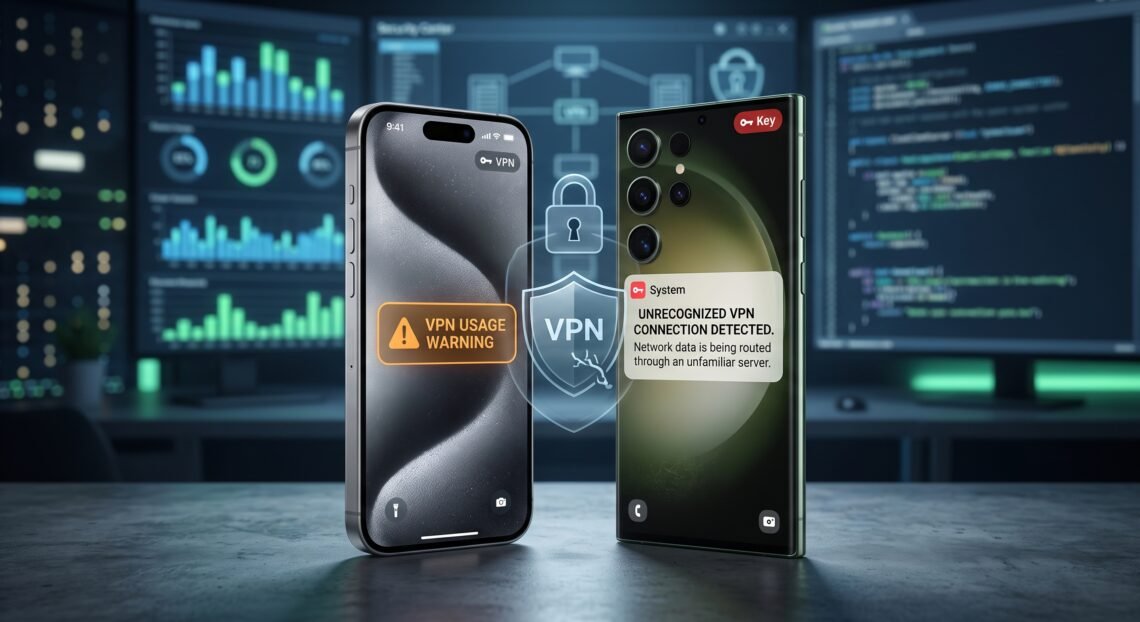
Whenever an active VPN connection routes your mobile traffic, iOS and Android automatically trigger a visible indicator such as a small “VPN” tag or a key icon in your status bar.This alert is built directly into the operating system by Apple and Google to guarantee complete network transparency.
- System Transparency:The alert informs you that your cellular or Wi-Fi traffic is flowing through an encrypted virtual tunnel before hitting the public internet.
- Shift of Trust:Activating a VPN moves your trust away from your local Internet Service Provider (ISP) and hands full visibility over to the VPN provider.
- Background Profiles:Work accounts, parental controls, or mobile security apps often trigger this warning automatically using background network drivers.
- Unrecognized Threats:If this indicator appears without your knowledge, an unauthorized profile or malicious app may be routing your traffic through a dangerous third-party server.
The Hidden Security Risks Behind Untrustworthy Mobile VPNs
Not all VPN applications created for iOS and Android are built equal.While a reputable provider guards your identity, untrustworthy or “free” apps frequently exploit user trust to collect and sell sensitive personal information.
- Aggressive Data Logging:Dozens of free utilities promise strict “no-log” policies while quietly tracking your exact browsing history and selling it to ad brokers.
- DNS and IP Address Leaks:Poorly coded mobile applications frequently fail to secure DNS queries, exposing your real location and IP address even while active.
- Excessive Device Permissions:Risky applications often request invasive access to your contact list, local storage, SMS messages, or precise GPS location.
- Malware Injection: Fraudulent VPN downloads across unofficial marketplaces can package hidden adware, spyware, or credential harvesters inside their installation files.
iPhone vs. Android: How VPN Vulnerabilities Differ Between Platforms
Apple’s closed iOS ecosystem and Google’s open Android platform handle virtual network integration in distinct ways. Understanding these architectural differences helps you identify potential threats faster on your specific device.
| Feature / Security Aspect | Apple iOS (iPhone) | Google Android |
| Primary Status Indicator | “VPN” badge in the Control Center or top status bar | Key icon in the top notification tray |
| App Installation Method | Strictly restricted to the official App Store | Allows official Google Play and APK side-loading |
| Network Architecture | Custom Network Extension framework | Open VpnService API used by apps and firewalls |
| Core Vulnerability Risk | Unwanted Configuration Profiles installed via Safari | Third-party APKs containing embedded malware |
| Built-in Native Alternative | iCloud Private Relay (for Safari traffic) | Google One / Android OS built-in network security |
How to Audit and Verify VPN Settings on iOS and Android
If your device displays a constant connection prompt or you suspect an unauthorized service is running, perform a quick settings audit to verify that your network routing is safe.
- Auditing an iPhone (iOS):
- Open Settings and tap General.
- Scroll down and select VPN & Device Management.
- Review all installed profiles under the VPN list.
- Tap the information icon next to any unrecognized service and select Delete VPN.
- Auditing an Android Device:
- Open Settings and tap Network & internet (or Connections).
- Select VPN to view every app configured to use the
VpnServiceAPI. - Look for active connections or apps marked with Always-on VPN.
- Tap the gear icon beside any unknown entry and choose Forget VPN.
Evaluating Threat Levels: What Your Status Alert Really Means
Seeing an active connection notice does not mean you should immediately panic. Use this decision matrix to determine whether your current setup requires immediate action.
                  [ Phone Displays VPN Alert ]
                               |
              Did you manually turn on a paid VPN?
                             /   \
                           YES    NO
                           /       \
      [ Safe: Normal Protection ]   Is it an enterprise, work, or school phone?
                                                /   \
                                              YES    NO
                                              /       \
                       [ Safe: Managed Device ]   Check Installed Profiles immediately!
                                                              |
                                                      [ Remove Unknown VPN ]
- Green Level (Low Risk): You manually installed a audited provider and toggled it on for secure browsing on public Wi-Fi.
- Yellow Level (Medium Risk): The connection keeps dropping and reconnecting unexpectedly, which could indicate unstable encryption protocols or background battery throttling.
- Red Level (High Risk): An unknown profile is active, or a free utility app demands access to your photo library and text messages.
Essential Best Practices for Secure Mobile VPN Usage
Protecting your mobile privacy requires choosing trustworthy tools and pairing them with proper device hygiene.Follow these proven guidelines to keep your data safe from exposure:
- Stick to Verified App Stores:Download utilities exclusively from Apple’s App Store or Google Play, avoiding unverified third-party APK sites.
- Demand Independent Audits: Choose providers that undergo public security audits conducted by recognized third-party cybersecurity firms.
- Enable the System Kill Switch:Turn on the built-in Kill Switch feature so internet traffic freezes instantly if the encrypted tunnel drops.
- Avoid “100% Free” Unlimited Services: Remember that maintaining server infrastructure costs real money; free apps usually monetize by selling your private activity logs.
- Keep Your Mobile OS Updated:Install software updates promptly so your phone has the latest security patches for network stack vulnerabilities.
Frequently Asked Questions
Why does my phone say “VPN Detected” when I didn’t install one?
Many security suites, ad blockers, parental control software, and workplace management apps use local VPN drivers to filter malicious connections.Check your device settings to see which background application is managing the connection.
Can an active VPN connection on my mobile phone leak my real location?
Yes, misconfigured settings or poor encryption protocols can lead to DNS or WebRTC leaks.You can test your connection by visiting an independent IP lookup website while connected to verify that your real location is hidden.
Is Apple’s iCloud Private Relay the same as a mobile VPN?
No, iCloud Private Relay uses a dual-hop architecture designed specifically to protect Safari web traffic. It does not route all background app traffic or let you change your virtual location to specific custom countries like a full VPN.
Do free VPN apps on Android and iPhone present a real security threat?
Yes, security research reveals that many free services log user browsing history, sell data to ad networks, or bundle malware inside the installation file.
What should I do immediately if I discover an unrecognized VPN profile?
Go to your phone’s network settings, delete the unrecognized profile immediately, uninstall any unfamiliar apps, and restart your device to ensure all connections reset safely.
Final Thoughts: Balancing Mobile Privacy with Smart Security
An iphone android vpn usage warning shouldn’t cause panic it is a helpful transparency feature designed to keep you informed about your phone’s network traffic. A high-quality, independently audited VPN remains one of the best tools available for securing your data on untrusted Wi-Fi networks.
The key takeaway is simple: never blindly trust every security app in the app store.Audit your active profiles regularly, remove software you don’t recognize, and choose reputable providers that prioritize user privacy over quick profits. Take five minutes today to check your phone’s network settings and make sure your mobile privacy is fully protected!